
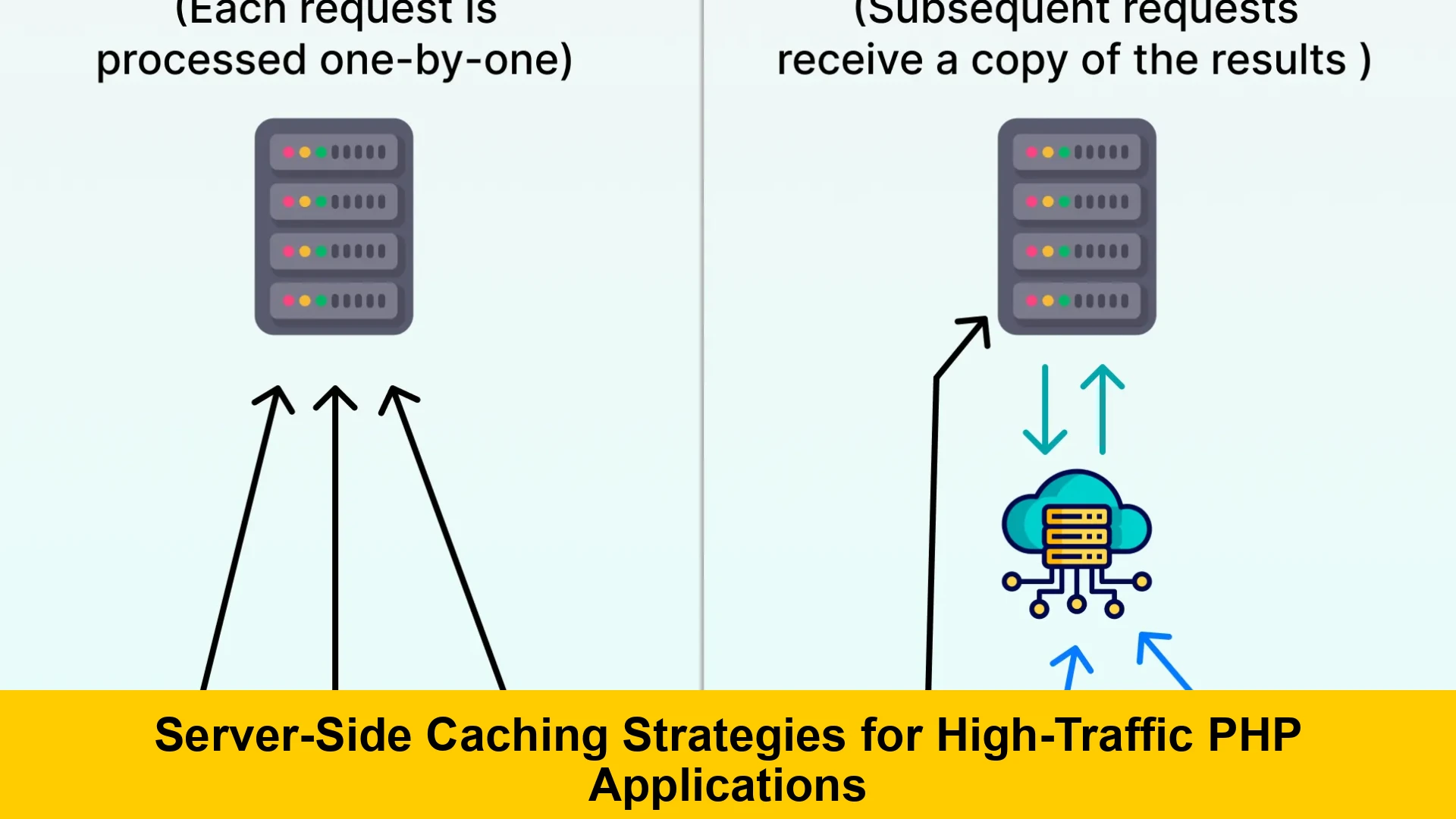
In the digital age, speed is paramount. Users expect applications to be instantaneous, and search engines reward fast-loading websites. For PHP applications, especially those experiencing high traffic, performance can quickly become a bottleneck. This is where server-side caching strategies for high-traffic PHP applications become not just beneficial, but absolutely critical. If you’re looking for a PHP server side caching beginner guide that demystifies complex concepts and offers practical implementation advice, you’ve come to the right place.
At its core, server-side caching involves storing frequently accessed data or computed results closer to the application, reducing the need to repeatedly perform expensive operations like database queries, complex calculations, or file system access. This dramatically accelerates response times, decreases server load, and significantly improves the overall user experience. This comprehensive guide will explore various PHP application caching methods, detail how to implement them, and highlight best practices to truly improve PHP performance caching for even the most demanding environments.
Whether you’re struggling with slow database queries, overwhelmed by high concurrent user loads, or simply looking for ways to scale your PHP infrastructure, understanding and implementing effective server-side caching is a game-changer. We’ll delve into everything from bytecode caching to object caching, helping you choose and implement the best server side caching strategies for PHP applications.
Understanding Server-Side Caching
What is Caching?
Caching is a technique that stores copies of data so that future requests for that data can be served faster. Instead of recalculating, re-fetching, or re-rendering data every single time it’s requested, the application can retrieve it from a cache – a temporary storage area that is much faster to access than the original source. Think of it like remembering frequently used information rather than looking it up in a book every time.
In the context of web applications, caching can occur at many layers: browser cache (client-side), CDN cache, proxy cache, web server cache, and application-level cache. Our focus here is exclusively on server-side caching, which encompasses strategies executed directly on your web servers or dedicated caching servers.
Benefits for High-Traffic PHP Applications
The advantages of integrating robust server caching strategies PHP are extensive, particularly for applications under heavy load:
- Reduced Database Load: Databases are often the primary bottleneck. Caching query results dramatically lessens the burden on your database server, allowing it to handle more writes and complex operations.
- Faster Response Times: By serving data from memory or a fast local disk rather than re-processing requests, page load times decrease significantly, leading to a smoother user experience.
- Lower Server Resource Usage: Less CPU, memory, and I/O are consumed when requests are served from cache, meaning your existing server infrastructure can handle more concurrent users without degradation.
- Improved Scalability: With caching, you can serve more users with the same hardware, delaying the need for expensive infrastructure upgrades and making your application more resilient to traffic spikes. This is key for high traffic PHP caching solutions.
- Enhanced User Experience: Faster sites mean happier users, reduced bounce rates, and potentially better conversion rates.
Ultimately, optimizing PHP applications with server caching is about doing more with less and providing a superior experience to your users.
Key Server-Side Caching Strategies
There are several distinct categories of server-side caching, each targeting a different layer of your PHP application’s stack. Understanding these will help you decide how to implement server side caching in PHP effectively.
1. Bytecode Caching (Opcode Cache)
PHP is an interpreted language. When a PHP script is executed, it first needs to be compiled from human-readable source code into opcodes (bytecodes) – an intermediate machine-readable format. This compilation step happens on every single request, which can be computationally expensive for high-traffic sites.
Bytecode caches, like PHP’s built-in OPcache, store these compiled opcodes in shared memory. Subsequent requests for the same script can then execute the pre-compiled opcodes directly, bypassing the compilation step entirely. This is one of the easiest and most impactful ways to improve PHP performance caching.
How OPcache Works
- When a PHP script is first requested, OPcache compiles it into opcodes.
- These opcodes are stored in a shared memory segment.
- For subsequent requests for the same script, OPcache checks its memory cache.
- If the opcodes are present and valid, they are served directly, saving CPU cycles.
- OPcache also monitors file changes to recompile scripts when they are updated.
Configuration Tips for OPcache
OPcache is bundled with PHP since version 5.5 and is usually enabled by default in modern PHP installations. You can configure it via your php.ini file. Here are some critical settings:
[opcache]
opcache.enable=1             ; Enable OPcache
opcache.memory_consumption=128 ; Amount of shared memory to use (in megabytes)
opcache.interned_strings_buffer=8 ; Size of the interned strings buffer (in megabytes)
opcache.max_accelerated_files=10000 ; Max number of script files to cache
opcache.revalidate_freq=0    ; How often to check for file updates (seconds, 0 for always)
opcache.validate_timestamps=1 ; Check file timestamps for updates (set to 0 in production with proper deployment)
opcache.save_comments=1      ; Save comments in the opcache
For production environments with atomic deployments (where files are swapped instantly), setting opcache.revalidate_freq=0 and opcache.validate_timestamps=0 can provide maximum performance, as OPcache won’t waste cycles checking for file changes. Just remember to clear OPcache after deployments!
2. Data Caching (Object/Result Caching)
This is perhaps the most common form of PHP application caching methods. Data caching involves storing results of expensive operations (like complex database queries, API responses, or computationally intensive calculations) in a fast storage medium. When the data is needed again, the application first checks the cache; if found, it’s retrieved rapidly, bypassing the original data source.
Popular solutions for data caching include in-memory key-value stores like Redis and Memcached. These provide extremely fast access to data by keeping it in RAM.
Memcached vs Redis for PHP Caching Explanation
- Memcached: A high-performance, distributed memory object caching system. It’s excellent for simple key-value storage and can be easily scaled across multiple servers. Memcached is typically simpler and faster for purely caching data.
- Redis: An open-source, in-memory data structure store, used as a database, cache, and message broker. Redis supports more complex data structures (lists, sets, hashes, sorted sets) and offers persistence (saving data to disk), replication, and transactions. While slightly more resource-intensive than Memcached for simple caching, its versatility makes it a powerful choice for many applications.
For a basic PHP server side caching beginner guide, both are excellent choices. Your decision between them depends on whether you need the advanced data structures and persistence of Redis or the sheer simplicity and speed of Memcached for raw caching.
Code Examples: Interacting with Caches (Conceptual)
Here’s a conceptual example of how you might use Redis in a PHP application to cache a database query result. This illustrates how to implement server side caching in PHP using a common pattern.
<?php

// Assuming you have a Redis client connection established
// e.g., $redis = new Redis(); $redis->connect('127.0.0.1', 6379);

$userId = 123;
$cacheKey = 'user_profile:' . $userId;
$cachedUserProfile = $redis->get($cacheKey);

if ($cachedUserProfile) {
    // Cache hit: data found in cache
    $userProfile = json_decode($cachedUserProfile, true);
    echo "Serving user profile from cache.n";
} else {
    // Cache miss: data not found, fetch from database
    echo "Fetching user profile from database...n";
    // In a real application, this would be a database query
    $userProfile = [
        'id' => $userId,
        'name' => 'Jane Doe',
        'email' => '[email protected]',
        'registration_date' => '2023-01-15'
    ];

    // Store data in cache for 1 hour (3600 seconds)
    $redis->setex($cacheKey, 3600, json_encode($userProfile));
    echo "Storing user profile in cache.n";
}

print_r($userProfile);

// To demonstrate invalidation, imagine updating the user profile
// $redis->del($cacheKey); // This would remove the profile from cache
?>
This snippet demonstrates the basic read-through caching pattern. For a more in-depth look, you’d want to learn configure Redis for PHP server side caching specifically.
3. Page Caching / Fragment Caching
This strategy involves caching the entire HTML output of a page or specific dynamic parts (fragments) of a page. This is particularly effective for content that doesn’t change frequently.
- Full Page Caching: The entire HTML response for a given URL is stored. When a user requests that URL again, the cached HTML is served directly without executing any PHP code. This is the fastest form of caching for static or semi-static pages. Many web servers (like Nginx with
fastcgi_cache) or CDNs can handle this. - Fragment Caching: For pages with dynamic sections (e.g., user-specific data, frequently updated news feeds), you might cache only the static parts of the page. PHP frameworks often provide tools for this, allowing you to wrap sections of your view templates with cache directives.
Implementing page caching requires careful consideration of cache invalidation to ensure users don’t see stale content.
4. Reverse Proxy Caching (e.g., Varnish, Nginx)
A reverse proxy sits in front of your web server and intercepts all incoming requests. If it has a cached copy of the requested resource, it serves it directly, bypassing your web server and PHP application entirely. This can significantly offload your backend, especially for static assets or full-page HTML. Nginx can act as a reverse proxy cache, and Varnish Cache is a powerful dedicated HTTP accelerator often used for this purpose.
While not strictly “application-level” caching, it’s a crucial part of comprehensive server caching strategies PHP, especially for high traffic PHP caching solutions. It works in tandem with your application’s internal caching.
5. CDN Caching
While technically a form of frontend caching, Content Delivery Networks (CDNs) are essential for modern high-traffic applications and work closely with server-side strategies. CDNs cache static assets (images, CSS, JavaScript) and sometimes even dynamic content at edge locations geographically closer to your users. This reduces latency and offloads your origin server significantly. For more details on this, you might explore frontend caching with CDNs.
Implementing Server-Side Caching in PHP
Now that we’ve covered the different types, let’s look at how to practically implement these. This section is crucial for anyone wondering about how to implement server side caching in PHP effectively.
Choosing the Right Cache Store
Your choice of cache store depends on your specific needs:
- OPcache: Mandatory for virtually all PHP applications. It’s built-in and offers immediate performance gains.
- Memcached: Ideal for simple, fast, volatile key-value storage. Great for caching raw data or query results that don’t need persistence.
- Redis: More versatile. Use it if you need advanced data structures, persistence, Pub/Sub, or more complex caching patterns. Also a good choice for session storage.
- Database: For very persistent or less frequently accessed cache data, a database table might be suitable, but it’s generally slower than in-memory stores.
- Filesystem: Simple to implement but generally much slower than in-memory caches due to disk I/O. Suitable for large but infrequently accessed cached items, or as a fallback.
Consider the trade-offs between speed, complexity, persistence, and scalability when making your choice. For a detailed Memcached vs Redis for PHP caching explanation, consider benchmarking both with your specific workload.
Integrating with PHP Frameworks
Modern PHP frameworks like Laravel, Symfony, and Zend Framework provide robust caching abstractions, making it easier to manage various caching drivers (Redis, Memcached, file, database) with a unified API. This simplifies the process of optimizing PHP applications with server caching.
- Laravel: Offers a flexible Cache facade supporting multiple drivers. You can configure cache stores in
config/cache.phpand use methods likeCache::put(),Cache::get(),Cache::remember(). - Symfony: Provides a Cache component that supports PSR-6 and PSR-16 standards. This allows for interchangeable cache adapters (Redis, Memcached, Filesystem) and easy integration.
Using framework-provided caching mechanisms is generally recommended as they handle common concerns like serialization, expiration, and driver management.
Server Side Cache Invalidation PHP Best Practices
A cache is only as good as its freshness. Stale data can be worse than no cache at all. Effective cache invalidation is crucial for high traffic PHP caching solutions.
- Time-based Expiration (TTL – Time To Live): The simplest method. Data expires after a set period. Suitable for data that can tolerate being slightly out of date.
- Event-based Invalidation: Invalidate cache entries when the underlying data changes. For example, when a product is updated in the database, you explicitly delete its corresponding cache entry. This is often implemented using listeners or hooks.
- Tag-based Invalidation: Group related cache entries with tags. When an update occurs, invalidate all entries associated with a specific tag. E.g., tagging all blog posts with ‘posts’, and invalidating ‘posts’ tag when a new post is published.
- Cache Busting (Version-based): For static assets, appending a version string or hash to the filename (e.g.,
style.1a2b3c.css) forces browsers and CDNs to fetch the new version.
Implementing proper invalidation logic is a critical aspect of server side cache invalidation PHP best practices. A common strategy is to use a combination of TTL for safety and event-based invalidation for immediacy.
Advanced Caching Techniques and Considerations
Beyond the basics, several advanced techniques can further refine your server caching strategies PHP.
Cache Warming
When a cache is initially empty (e.g., after a deployment or server restart), the first few requests for data will result in cache misses, potentially leading to a temporary performance hit. Cache warming is the process of pre-populating the cache with data before it’s actually requested by users.
- Automated Scripts: Use cron jobs or separate processes to run scripts that simulate user traffic or directly fetch and cache critical data (e.g., popular products, home page content).
- Sitemaps: Use your sitemap to identify pages that need to be warmed.
- Background Jobs: For frequently accessed data that changes periodically, a background job can re-fetch and cache the new data, keeping the cache perpetually “warm.”
Distributed Caching
For very large-scale applications, a single caching server might not be enough. Distributed caching involves spreading your cache across multiple servers. Solutions like Memcached and Redis (with clustering) natively support distribution, allowing you to scale your caching layer horizontally. This is fundamental for robust high traffic PHP caching solutions.
Monitoring and Analytics
You can’t optimize what you don’t measure. Monitoring your cache performance is crucial. Key metrics include:
- Cache Hit Ratio: The percentage of requests that are served from the cache. A high hit ratio indicates effective caching.
- Cache Misses: Requests not found in cache, requiring fetching from the original source.
- Cache Latency: How quickly items are retrieved from the cache.
- Memory Usage: How much memory your cache servers are consuming.
Tools like Prometheus, Grafana, and built-in Redis/Memcached monitoring dashboards can provide valuable insights into your caching infrastructure.
Best Practices for High-Traffic PHP Applications
To summarize and provide actionable advice, here are some overarching best practices for implementing server-side caching strategies for high-traffic PHP applications:
- Identify Bottlenecks First: Before implementing any caching, use profiling tools (like Blackfire.io or Xdebug) to identify where your application is spending most of its time. Caching the wrong thing won’t yield significant results. This relates to broader PHP performance optimization techniques.
- Cache Aggressively, Invalidate Strategically: Aim to cache as much as possible, but invest significant effort in developing robust and reliable cache invalidation strategies to prevent stale data. This includes considering server side cache invalidation PHP best practices.
- Use the Right Tool for the Job: Don’t use Redis if Memcached would suffice, and don’t cache in the database if an in-memory store is appropriate. Understand the strengths and weaknesses of each caching mechanism.
- Test Thoroughly: Always test your caching logic under load, both for performance gains and to ensure data consistency, especially after implementing cache invalidation mechanisms.
- Monitor and Iterate: Caching is an ongoing process. Continuously monitor your cache’s effectiveness and adjust your strategies based on real-world usage patterns.
- Don’t Forget Database Optimization: While caching reduces database load, well-optimized database queries and proper database indexing best practices are still fundamental for overall performance.
- Combine with Web Server Caching: Leverage web server features like Nginx’s fastcgi_cache or Varnish for full-page caching. This can work hand-in-hand with your application-level caching for maximum impact. Effective web server configuration plays a vital role.
Conclusion
Server-side caching strategies for high-traffic PHP applications are not just an optional enhancement; they are a fundamental requirement for building scalable, high-performance web applications in today’s demanding environment. By strategically implementing bytecode caching, data caching with Redis or Memcached, and leveraging page/fragment caching, you can dramatically improve PHP performance caching, reduce server load, and deliver an exceptional user experience.
This PHP server side caching beginner guide has covered the essential concepts, practical methods, and best practices to get you started. Remember that effective caching is a continuous process of analysis, implementation, and refinement. Embrace these strategies, and watch your PHP applications soar under pressure.
For more detailed insights into specific caching solutions, consider exploring the official documentation for Redis or Memcached. Additionally, dive deep into PHP’s OPcache manual for advanced configuration.