
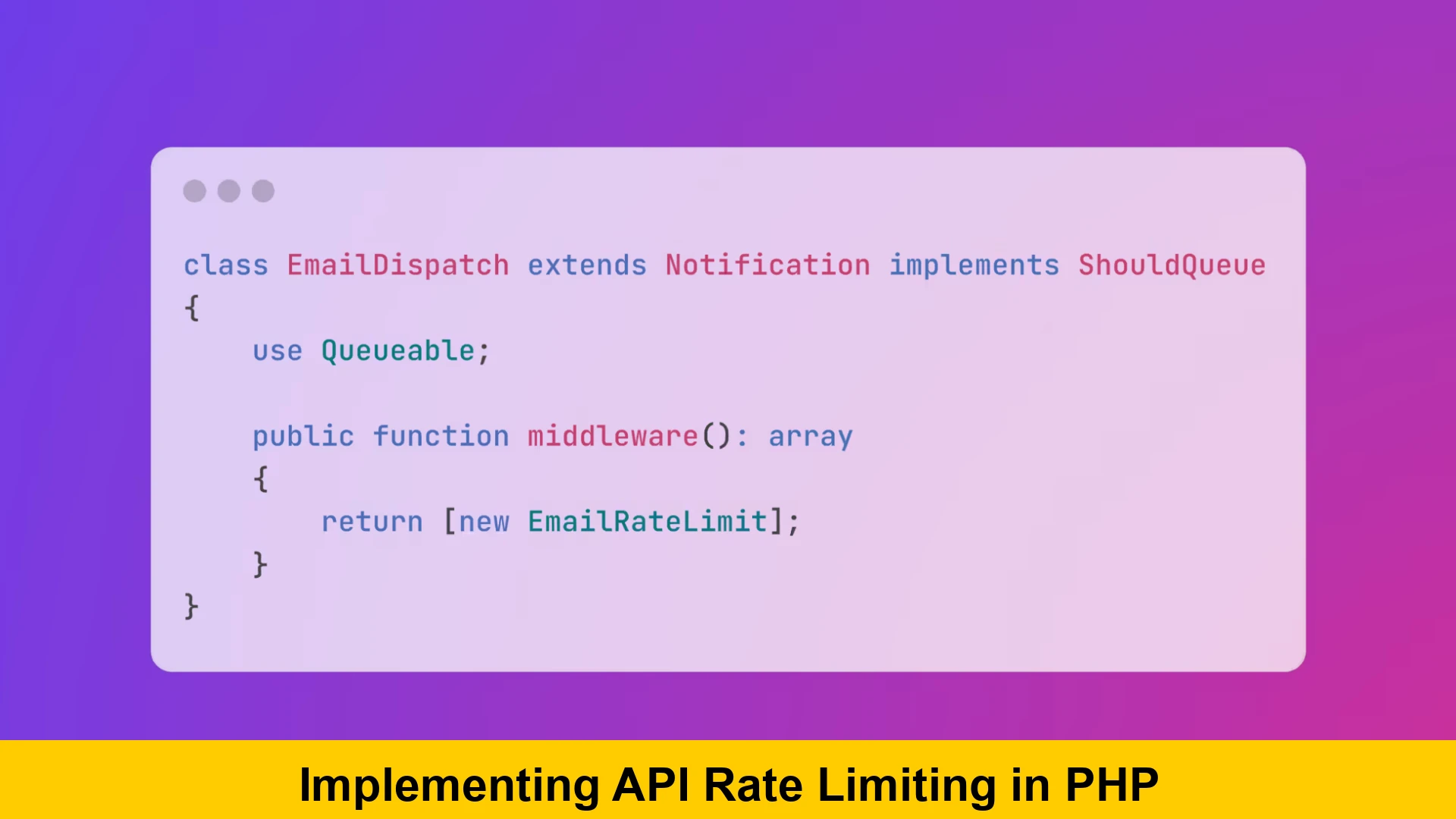
“Implementing API Rate Limiting in PHP” is not merely a technical exercise; it’s a fundamental security and operational necessity for any robust web application. If you’re building REST APIs with PHP, understanding and applying effective rate limiting strategies is crucial for maintaining the stability, security, and performance of your services. Without proper controls, your API endpoints are vulnerable to various forms of abuse, from accidental high-frequency requests by legitimate users to malicious attacks like Denial-of-Service (DoS) or brute-force login attempts. This comprehensive guide will walk you through the intricacies of implementing API rate limiting in PHP, offering a beginner’s guide to php api rate limiting, exploring various algorithms, and providing practical php api rate limit examples using modern techniques. We’ll delve into how to rate limit php api requests effectively, discuss php api throttling best practices, and equip you with the knowledge to add rate limiting to php application infrastructure, ensuring a resilient and fair API ecosystem.
Why API Rate Limiting is Essential
To truly appreciate the value of understanding API request limits in PHP and how to manage them, let’s explore the critical reasons why rate limiting is an indispensable component of modern web development:
Preventing Abuse and Misuse
This is paramount. Without rate limits, an attacker can flood your server with requests, leading to a Denial-of-Service (DoS) or Distributed Denial-of-Service (DDoS) attack. Brute-force attacks on login endpoints or password reset features are also common. Rate limiting acts as a primary defense line, making such attacks prohibitively slow and ineffective. For more on general application defenses, consider exploring PHP security best practices.
Ensuring Fair Usage
Not all API consumers are created equal. Some may require higher limits, while others operate on a free tier with stricter caps. Rate limiting allows you to enforce these policies, ensuring that one “noisy neighbor” doesn’t degrade service for everyone else. It promotes a balanced ecosystem where resources are distributed fairly, contributing to a better user experience for all legitimate clients.
Resource Protection
Every API request consumes server resources – CPU, memory, database connections, and network bandwidth. Uncontrolled requests can quickly exhaust these resources, leading to slow responses, timeouts, and ultimately, service unavailability. Rate limiting helps conserve these vital resources, protecting your backend infrastructure from overload and ensuring your application remains responsive under expected load.
Cost Management
For services that rely on third-party APIs or cloud infrastructure (e.g., database queries, external payment gateways, message queues), each request can incur a cost. Implementing API rate limiting helps manage and control these expenses by preventing excessive usage and unexpected billing spikes. This is a critical factor for financial sustainability, especially for SaaS businesses.
API Stability and Performance
By preventing resource exhaustion and ensuring fair usage, rate limiting directly contributes to the overall stability and predictability of your API. Consistent response times and higher availability are direct benefits, which are also vital considerations when optimizing PHP application performance. It’s a critical component of any resilient system design, enhancing the overall reliability of your services.
Understanding Different Rate Limiting Algorithms
To effectively implement API rate limiting in PHP, it’s essential to grasp the various algorithms that underpin these systems. Each has its pros and cons, making certain algorithms more suitable for specific scenarios. A deep understanding here will help you choose the best way to implement php api throttling for your application, ensuring optimal protection and user experience.
Fixed Window Counter
This is the simplest algorithm to implement. Requests are counted within a fixed time window (e.g., 60 seconds). If the count exceeds the limit, further requests are blocked until the next window starts.
- Pros: Easy to implement, low memory footprint, and straightforward to understand.
- Cons: Can suffer from the “burst problem” at the window edges. If a client makes many requests at the very end of one window and then many more at the very beginning of the next, they can effectively double their allowed rate within a very short period, potentially overloading your system.
Sliding Window Log
This algorithm keeps a timestamp for every request made by a user. When a new request arrives, it counts how many timestamps fall within the current dynamic time window (e.g., the last 60 seconds). If the count exceeds the limit, the request is denied.
- Pros: Very accurate and completely avoids the edge-case problem of the Fixed Window. It provides a good
php api rate limit examplefor precision, making it excellent for strict compliance. - Cons: High memory usage, especially for high-volume APIs, as it stores every request timestamp. This can become a scalability challenge with a large number of clients.
Sliding Window Counter
A hybrid approach that combines the best aspects of both. It uses the current fixed window’s count and the previous fixed window’s count, weighted by how much of the previous window has passed. This approximation significantly reduces memory overhead compared to the Sliding Window Log.
- Pros: More accurate than Fixed Window, less memory-intensive than Sliding Window Log. A robust choice for
how to rate limit php apiwithout excessive resource consumption. - Cons: Slightly more complex to implement than Fixed Window and is an approximation, not perfectly precise like the Sliding Window Log.
Token Bucket
Imagine a bucket that holds a certain number of tokens. Tokens are added to the bucket at a fixed rate (e.g., 1 token per second, up to a maximum capacity). Each API request consumes one token. If the bucket is empty, the request is denied.
- Pros: Allows for bursts of traffic up to the bucket capacity, then smoothly throttles requests back to the average rate. Excellent for
php api throttling best practicesthat need to accommodate intermittent spikes. - Cons: Requires careful tuning of bucket capacity and refill rate. Implementation can be more complex, especially in a distributed environment, to ensure atomic updates to the bucket state.
Leaky Bucket
Similar to Token Bucket but designed to smooth out bursts. Requests are added to a queue (the “bucket”) and processed at a fixed, consistent rate (they “leak” out). If the bucket overflows (queue is full), new requests are dropped.
- Pros: Guarantees a constant output rate, good for protecting backend services from sudden spikes and ensuring stability.
- Cons: Introduces latency due to queuing. Can drop requests during sustained high load if the queue fills up, potentially leading to a poorer user experience for some clients.
Prerequisites for Implementing in PHP
Before diving into the code to add rate limiting to php application, a few foundational elements should be in place or clearly understood. These prerequisites ensure a smooth and effective integration of your rate limiting solution.
PHP Environment
Ensure you have a modern PHP version (7.4+ recommended for performance and features, ideally PHP 8.x for the latest improvements). Your web server setup, whether Apache with mod_php or a more scalable php-fpm with Nginx, should be correctly configured and optimized for performance.
Storage Mechanism
Rate limiting requires maintaining state across requests, which necessitates a fast, external data store. Redis is the preferred choice due to its in-memory speed, support for atomic operations, and versatile data structures, making it ideal for tracking request counts efficiently. Other options include Memcached, or even a database like MySQL for lower-volume applications, though these are generally less performant for high-frequency updates.
Understanding HTTP Headers
You’ll need to send specific HTTP headers back to the client to inform them about their rate limit status (e.g., X-RateLimit-Limit, X-RateLimit-Remaining, X-RateLimit-Reset). An understanding of understanding HTTP status codes, particularly 429 Too Many Requests, is also critical for proper client communication and adherence to API best practices.
Implementing API Rate Limiting in PHP – Step-by-Step
Now, let’s roll up our sleeves and explore how to implement API rate limiting in PHP with practical code examples. This section will focus on using Redis, given its suitability for high-performance rate limiting, and will cover several algorithms to give you a comprehensive understanding.
Choosing Your Storage Mechanism
The choice of storage mechanism is paramount for implementing simple api rate limiter php. While you could technically use a relational database, the overhead of numerous writes and reads can quickly become a bottleneck, especially under high traffic. For high-performance API rate limiting, an in-memory key-value store is almost always the superior choice.
Redis: The Go-To for PHP Rate Limiting
Redis stands out as the best option for rate limiting due to its exceptional speed, support for atomic operations, and versatile data structures (strings, hashes, sorted sets). It allows you to track request counts and timestamps efficiently across multiple web servers if your application is distributed. This is a key component for how to prevent api abuse in php effectively and scalably.
Basic Fixed Window Counter Example (PHP & Redis)
Let’s start with a practical php api rate limit example using the Fixed Window Counter algorithm and Redis. This provides a clear beginner's guide to php api rate limiting, demonstrating the core principles in a straightforward manner.
First, ensure you have a Redis server running and a PHP client library installed. predis/predis or phpredis (as a PHP extension) are popular choices. For this example, we’ll use predis. You can install it via Composer:
composer require predis/predisHere’s the PHP code:
<?php

require 'vendor/autoload.php'; // Assuming Composer is used for Predis

// --- Configuration ---
const RATE_LIMIT_PERIOD = 60; // seconds
const MAX_REQUESTS = 100;     // requests per period

// Function to get the client identifier (IP address for simplicity)
// In a production app, you might use API keys, user IDs, or a combination.
function getClientId(): string {
    // Ensure you're behind a trusted proxy if relying on X-Forwarded-For
    return $_SERVER['HTTP_X_FORWARDED_FOR'] ?? $_SERVER['REMOTE_ADDR'] ?? 'unknown';
}

// Function to get a Redis client instance
function getRedisClient(): PredisClient {
    try {
        // You might want to use a more robust connection manager in a real application
        $redis = new PredisClient([
            'scheme' => 'tcp',
            'host'   => '127.0.0.1',
            'port'   => 6379,
            // 'password' => 'your_redis_password' // Uncomment if Redis requires auth
        ]);
        $redis->connect();
        return $redis;
    } catch (PredisConnectionConnectionException $e) {
        // Log the error and gracefully handle no Redis connection
        error_log("Could not connect to Redis for rate limiting: " . $e->getMessage());
        // In a production environment, you might temporarily disable rate limiting
        // or fall back to a less performant mechanism (e.g., simple in-memory cache for one server).
        // For this example, we'll just exit with a server error.
        header('HTTP/1.1 500 Internal Server Error');
        echo json_encode(['error' => 'Rate limiting service unavailable.']);
        exit();
    }
}

// --- Rate Limiter Logic ---
function applyFixedWindowRateLimit(): void {
    $redis = getRedisClient();
    $clientId = getClientId();

    // The key for tracking this client's requests in the current window
    // We'll use a key like `rate_limit:{clientId}:{currentWindowTimestamp}`
    $currentWindow = floor(time() / RATE_LIMIT_PERIOD);
    $key = "rate_limit:{$clientId}:{$currentWindow}";

    // Increment the request count for the current window
    // INCR returns the new value after incrementing
    $requestCount = $redis->incr($key);

    // Set an expiration for the key if it's new
    // We set it slightly longer than the window to ensure it persists
    // until the next window fully starts and the old one is no longer relevant.
    // Example: If period is 60s, window 0 (0-59), set expiry for window 0 key to 120s.
    if ($requestCount === 1) {
        $redis->expire($key, RATE_LIMIT_PERIOD  2); // Expire after two windows
    }

    // Check if the limit has been exceeded
    if ($requestCount > MAX_REQUESTS) {
        // Calculate reset time for the client (end of current window + 1 second)
        $resetTime = (($currentWindow + 1)  RATE_LIMIT_PERIOD);
        $retryAfter = $resetTime - time();

        header('HTTP/1.1 429 Too Many Requests');
        header('X-RateLimit-Limit: ' . MAX_REQUESTS);
        header('X-RateLimit-Remaining: 0');
        header('X-RateLimit-Reset: ' . $resetTime); // Unix timestamp
        header('Retry-After: ' . $retryAfter); // Seconds until new window starts

        echo json_encode(['error' => 'Too Many Requests', 'message' => 'You have exceeded your API rate limit. Please try again after ' . $retryAfter . ' seconds.']);
        exit();
    }

    // Set rate limit headers for successful requests
    $remaining = MAX_REQUESTS - $requestCount;
    $resetTime = (($currentWindow + 1)  RATE_LIMIT_PERIOD);

    header('X-RateLimit-Limit: ' . MAX_REQUESTS);
    header('X-RateLimit-Remaining: ' . max(0, $remaining)); // Ensure it's not negative
    header('X-RateLimit-Reset: ' . $resetTime);
}

// Call the rate limiting function at the very beginning of your API endpoint script
// For example, in an API router or a middleware before processing the request.
// applyFixedWindowRateLimit();

// --- Your API endpoint logic goes here ---
// echo json_encode(['message' => 'Welcome to the API! Your request was successful with Fixed Window.']);

?>
This script demonstrates a basic implementation of implementing simple api rate limiter php. It uses the client’s IP address as an identifier (though API keys are generally more robust), increments a counter in Redis, and sends appropriate HTTP headers when the limit is reached. The use of INCR and EXPIRE in Redis are atomic, preventing race conditions. This is a good starting point for how to rate limit php api requests.
Enhancing the Rate Limiter with Sliding Window Log
While the Fixed Window is simple, its “burst problem” can be an issue. A more precise method for php api throttling best practices is the Sliding Window Log. This involves storing a timestamp for each request and then counting how many fall within the current dynamic window. Redis’s Sorted Sets (ZSET) are perfect for this.
<?php

require 'vendor/autoload.php';

// --- Configuration ---
const SWL_RATE_LIMIT_PERIOD = 60; // seconds
const SWL_MAX_REQUESTS = 100;     // requests per period

// (getClientId and getRedisClient functions remain the same as above)

// --- Sliding Window Log Rate Limiter Logic ---
function applySlidingWindowLogRateLimit(): void {
    $redis = getRedisClient();
    $clientId = getClientId();

    $key = "swl_rate_limit:{$clientId}";
    $currentTime = microtime(true); // Use microtime for higher precision timestamps
    $cutoffTime = $currentTime - SWL_RATE_LIMIT_PERIOD;

    // Use a Redis pipeline for atomic operations to ensure consistency
    $redis->pipeline(function ($pipe) use ($key, $currentTime, $cutoffTime) {
        // 1. Remove old timestamps (outside the current window)
        //    This effectively 'slides' the window by removing requests older than the cutoff.
        $pipe->zremrangebyscore($key, 0, $cutoffTime);

        // 2. Add the current request's timestamp to the sorted set.
        //    The score and member are the same here, representing the timestamp.
        $pipe->zadd($key, [$currentTime => (string)$currentTime]); // Score => Member

        // 3. Get the current count of requests within the active window
        $pipe->zcard($key);

        // 4. Set an expiration for the key to clean up dormant keys.
        //    This prevents keys from existing indefinitely if a client stops making requests.
        //    Set it to slightly longer than the period to cover the last potential request's window.
        $pipe->expire($key, SWL_RATE_LIMIT_PERIOD  2); // E.g., expire after two periods
    });

    // Execute the pipeline and get results. Predis returns an array of responses.
    list(, , $requestCount, ) = $redis->dispatch();

    if ($requestCount > SWL_MAX_REQUESTS) {
        header('HTTP/1.1 429 Too Many Requests');
        header('X-RateLimit-Limit: ' . SWL_MAX_REQUESTS);
        header('X-RateLimit-Remaining: 0');
        // For sliding window, estimating exact reset time is harder. Best to return the period.
        header('X-RateLimit-Reset: ' . (time() + SWL_RATE_LIMIT_PERIOD)); // Approximate reset timestamp
        header('Retry-After: ' . SWL_RATE_LIMIT_PERIOD); // Seconds until new request might be allowed

        echo json_encode(['error' => 'Too Many Requests', 'message' => 'You have exceeded your API rate limit. Please try again after ' . SWL_RATE_LIMIT_PERIOD . ' seconds.']);
        exit();
    }

    $remaining = SWL_MAX_REQUESTS - $requestCount;
    header('X-RateLimit-Limit: ' . SWL_MAX_REQUESTS);
    header('X-RateLimit-Remaining: ' . max(0, $remaining));
    header('X-RateLimit-Reset: ' . (time() + SWL_RATE_LIMIT_PERIOD)); // Approximate reset timestamp
}

// applySlidingWindowLogRateLimit();
// echo json_encode(['message' => 'Welcome to the API! Your request was successful with SWL.']);

?>
This more sophisticated approach provides a more robust php api rate limit example for preventing bursts and ensuring a truly sliding window. The use of Redis’s ZREM RANGEBYSCORE, ZADD, and ZCARD within a pipeline ensures atomicity and efficiency, making it a powerful tool for how to prevent api abuse in php with higher precision.
Implementing a Token Bucket Algorithm (Conceptual PHP)
The Token Bucket algorithm is excellent for allowing bursts while maintaining an average rate. While more complex to implement purely in PHP and Redis (often requiring atomic Redis Lua scripts for true distributed atomicity), here’s a conceptual PHP representation that could be adapted. The challenge is ensuring atomic updates to the bucket’s state (tokens and last refill time) across multiple PHP processes.
<?php
// Token Bucket Algorithm (Conceptual - simplified for clarity, real-world distributed needs atomic Redis Lua scripts)

require 'vendor/autoload.php';

// --- Configuration ---
const TB_BUCKET_CAPACITY = 10;   // Max tokens the bucket can hold (burst capacity)
const TB_REFILL_RATE = 1;      // Tokens added per second (average rate)

// (getClientId and getRedisClient functions remain the same as above)

function applyTokenBucketRateLimit(): void {
    $redis = getRedisClient();
    $clientId = getClientId();
    $key = "token_bucket:{$clientId}";

    $currentTime = time(); // Use time() for simpler seconds-based calculations

    // Get current bucket state: [tokens, last_refill_time]
    // Use HGETALL to fetch both fields atomically if they exist
    $bucketState = $redis->hgetall($key);
    $tokens = (float)($bucketState['tokens'] ?? TB_BUCKET_CAPACITY); // Start full if new client
    $lastRefillTime = (int)($bucketState['last_refill_time'] ?? $currentTime); // Last time tokens were updated

    // Refill tokens based on time passed since last refill
    $timePassed = $currentTime - $lastRefillTime;
    $tokens += $timePassed  TB_REFILL_RATE;
    $tokens = min($tokens, TB_BUCKET_CAPACITY); // Ensure tokens don't exceed bucket capacity

    // Consume a token for the current request
    if ($tokens >= 1) {
        $tokens -= 1;
        // Update bucket state in Redis (HMSET for atomic update of multiple fields)
        $redis->hmset($key, ['tokens' => $tokens, 'last_refill_time' => $currentTime]);
        // Set an expiration for the key to clean up dormant client data.
        // Expire after a period sufficient for the bucket to fully refill a few times.
        $redis->expire($key, (TB_BUCKET_CAPACITY / TB_REFILL_RATE)  3);

        // Headers for success (conceptual, as remaining tokens don't directly map to a simple reset)
        header('X-RateLimit-Limit: ' . TB_BUCKET_CAPACITY); // Represents burst capacity
        header('X-RateLimit-Remaining: ' . floor($tokens)); // Remaining available tokens
        // Time until bucket is fully refilled (approximate)
        header('X-RateLimit-Reset: ' . ($currentTime + ceil((TB_BUCKET_CAPACITY - $tokens) / TB_REFILL_RATE)));

    } else {
        // No tokens available, deny request
        $timeToRefill = ceil(1 / TB_REFILL_RATE); // Time to get at least one token
        header('HTTP/1.1 429 Too Many Requests');
        header('X-RateLimit-Limit: ' . TB_BUCKET_CAPACITY);
        header('X-RateLimit-Remaining: 0');
        header('X-RateLimit-Reset: ' . ($currentTime + $timeToRefill)); // Time until next token is available
        header('Retry-After: ' . $timeToRefill); // Seconds until client can retry

        echo json_encode(['error' => 'Too Many Requests', 'message' => 'You have exceeded your API rate limit. Please try again after ' . $timeToRefill . ' seconds.']);
        exit();
    }
}
// applyTokenBucketRateLimit();
// echo json_encode(['message' => 'Welcome to the API! Your request was successful with Token Bucket.']);

?>
This code provides a simplified overview. For a production-ready Token Bucket, especially in a distributed environment, you would likely need to use Redis Lua scripts to ensure atomicity for reading, calculating, and updating the bucket state. This showcases the approach to configure rate limit for php rest api that requires burst allowances, offering flexibility in traffic shaping.
Identifying API Clients
An important decision when you add rate limiting to php application is how you identify the client making the requests. The accuracy and robustness of your rate limiter depend heavily on this choice.
- IP Address: Simplest to implement, but problematic with NAT (Network Address Translation) where many users share a single public IP, or with proxies/load balancers. If behind a proxy, use the
X-Forwarded-Forheader, but always validate it to prevent spoofing by trusting only specific proxy IPs. - API Key: More robust. Each client gets a unique key, which they include in their requests (e.g., in a custom header or query parameter). This requires client-side management of keys. Good for a
php security tutorial api rate limiting, as it provides a clear identifier. Ensure keys are transmitted securely (e.g., viaAuthorizationheader using a Bearer token or similar). - Authenticated User ID: Most accurate for logged-in users. This ties limits directly to a user account, allowing for personalized limits and better tracking of individual user behavior. Requires a robust authentication system.
- Combination: Often, a combination (e.g., API key for unauthenticated requests, user ID for authenticated requests, and a fallback to IP for truly unknown clients) provides the best balance of coverage and accuracy.
Configuring Rate Limits
Understanding api request limits in php involves more than just a single global number. A flexible rate limiting system allows for various configurations:
- Global Limits: A baseline limit for all requests to your API, regardless of endpoint or user. This is a crucial first line of defense.
- Per-Endpoint Limits: Specific API endpoints might have different sensitivities. A login endpoint, for instance, might have a very low limit (e.g., 5 requests per minute per IP) to prevent brute-forcing, while a data retrieval endpoint could have a much higher limit.
- Tiered Limits: Offer different limits based on subscription plans or user roles (e.g., free tier: 100 req/min, premium tier: 1000 req/min). This is common for commercial APIs and allows you to monetize your service effectively.
- Burst Limits: As seen with the Token Bucket, allowing clients to exceed the average rate for short periods can significantly improve user experience during periods of high legitimate activity without compromising overall system stability.
Sending Rate Limit Headers
Communicating current rate limit status to clients is a crucial aspect of php api throttling best practices. The IETF RFC 6585 and other standards suggest these headers:
X-RateLimit-Limit: The maximum number of requests allowed in the current window or period.X-RateLimit-Remaining: The number of requests remaining in the current window before the limit is hit.X-RateLimit-Reset: The time (usually a Unix timestamp) when the current rate limit window resets or when the limit will be refreshed.Retry-After: (Sent on a 429 response) The number of seconds until the client can retry their request safely.
Handling Exceeded Limits
When a client hits the rate limit, it’s essential to respond appropriately and informatively:
- HTTP 429 Too Many Requests: This is the standard HTTP status code (RFC 6585) for indicating that the user has sent too many requests in a given amount of time. Always use it.
- Clear Error Messages: Provide a structured JSON error response that clearly explains the situation, indicates the `Retry-After` time, and potentially advises on best practices like exponential backoff.
- Logging: Log all instances of rate limit breaches. This helps in monitoring abuse patterns, identifying potential attacks, and fine-tuning your limits based on real-world data.
Advanced Considerations
As your API scales and becomes more complex, consider these advanced aspects of rate limiting:
- Distributed Systems: If your PHP application runs on multiple servers (e.g., behind a load balancer), Redis becomes even more critical as it provides a centralized, consistent store for rate limit data across all instances. Ensure your Redis instance is highly available and properly scaled.
- Edge Cases (Proxies, NAT): Be mindful of how IP addresses are handled, especially with `X-Forwarded-For` headers from proxies and the implications of Network Address Translation (NAT), where many users might share a single public IP. Implement strategies to trust only specific proxies to prevent IP spoofing.
- Monitoring and Alerting: Integrate your rate limiter with monitoring tools (e.g., Prometheus, Grafana, ELK stack). Set up alerts for high rates of 429 errors, unusual request patterns, or sudden spikes in traffic. This is key for
understanding api request limits in phpand tuning them proactively. - Graceful Degradation: In extreme load scenarios, instead of outright blocking requests with 429, you might consider delaying responses slightly or serving cached data for certain non-critical requests to maintain some level of service, rather than complete denial.
- Testing Your Rate Limiter: Thoroughly test your implementation with various scenarios, including normal usage, sustained high-frequency requests, bursts of activity, and simulated attacks, to ensure it behaves as expected under all conditions.
Alternative Solutions & Tools
While implementing API rate limiting in PHP provides granular control and deep customization, sometimes leveraging existing infrastructure or dedicated services is more efficient, especially for how to prevent api abuse in php at a network level.
- Nginx as a Reverse Proxy: Nginx has powerful built-in rate limiting modules (
limit_req_zone,limit_req). You can offload basic rate limiting to Nginx before requests even hit your PHP application. This is a very common, high-performance, and scalable approach for high-traffic APIs, often combined with application-level limiting for more complex rules. You can learn more about Nginx’s capabilities on their official documentation: Nginx Rate Limiting Documentation. - Cloudflare, AWS API Gateway, other CDN/WAF Services: Cloud providers and Content Delivery Networks (CDNs) offer sophisticated rate limiting as a service, often integrated with Web Application Firewall (WAF) capabilities. These are excellent for protecting against large-scale DDoS attacks and provide powerful, configurable rules that can operate at the edge of your network, reducing load on your origin servers.
- Dedicated API Management Platforms: There are also specialized API management platforms (e.g., Kong, Apigee) that focus purely on API lifecycle management, including advanced rate limiting, analytics, and security features. These provide a comprehensive solution for managing complex API ecosystems.
Best Practices for PHP API Throttling
Effective php api throttling best practices go beyond mere technical implementation. They encompass communication, monitoring, and a holistic approach to API management.
- Start Simple, Iterate: Begin with a basic fixed-window counter for critical endpoints or global limits, then refine and expand your strategy as you gather data on actual usage patterns. Don’t over-engineer from day one.
- Clear Communication to Users: Document your API rate limits clearly and concisely. Explain what happens when limits are exceeded, how to interpret `X-RateLimit` headers, and provide guidance on exponential backoff for clients to implement robust retry logic. A great general resource on the concept of rate limiting can be found on Wikipedia’s Rate Limiting page.
- Monitor and Adjust: Rate limits are not static. Continuously monitor API usage patterns, server load, and 429 error rates. Adjust your limits based on real-world data, user feedback, and evolving threat landscapes. This helps to truly
configure rate limit for php rest apieffectively and dynamically. - Security First: While rate limiting is a potent security measure, it’s part of a broader security strategy. Don’t rely solely on rate limiting; implement other `PHP security best practices` like input validation, strong authentication, granular authorization, and secure coding principles. Also consider general API security best practices, such as those outlined by major cloud providers for securing API keys: Google Cloud API Key Best Practices.
- Scalability: Ensure your chosen storage (Redis) and implementation can scale with your application’s growth. Horizontal scaling of PHP application servers needs a shared, centralized rate limiting store to maintain consistency across instances.
- Consistent Enforcement: Apply rate limits consistently across all relevant API endpoints and identification methods. Inconsistent application can create loopholes for abuse and lead to an unpredictable API experience.
Conclusion
Implementing API Rate Limiting in PHP is an indispensable task for any developer building modern web services. From preventing malicious attacks like DDoS and brute-force attempts to ensuring fair usage and optimizing PHP application performance, rate limiting offers multifaceted benefits. We’ve explored various algorithms, from the straightforward Fixed Window Counter to the more sophisticated Sliding Window Log and Token Bucket, providing practical php api rate limit example code snippets using Redis.
By carefully identifying clients, configuring nuanced limits, and communicating transparently via HTTP headers, you can add rate limiting to php application effectively. Remember, rate limiting is a continuous process of monitoring, adjusting, and refining, critical for maintaining a secure, stable, and high-performing API. Start with the basics, leverage robust tools like Redis, and always prioritize the user experience while safeguarding your resources. This php security tutorial api rate limiting aims to be your definitive beginner's guide to php api rate limiting, empowering you to build more resilient and robust PHP applications.