
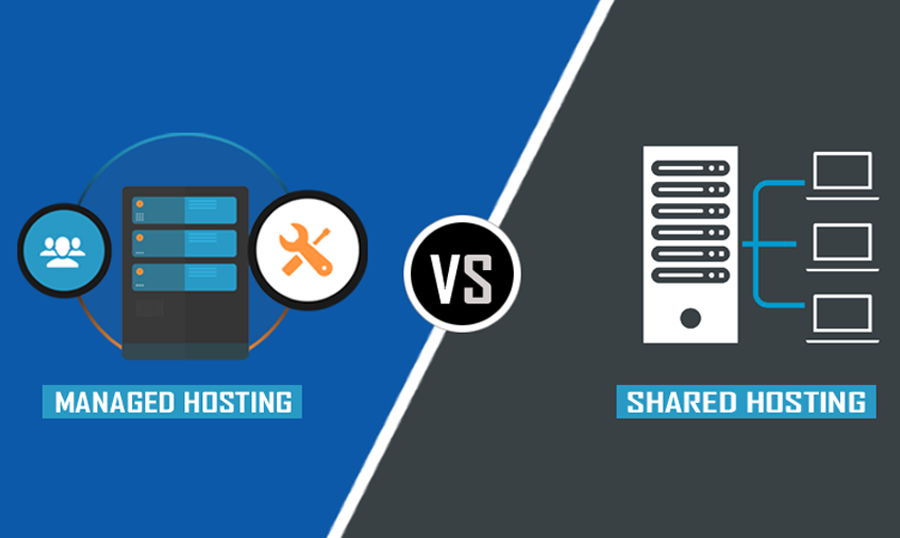
Choosing the right web hosting for your WordPress website is one of the most critical decisions you’ll make, impacting everything from your site’s speed and security to its scalability and your overall peace of mind. For newcomers and seasoned webmasters alike, the options can seem overwhelming. Among the most popular choices, particularly for WordPress users, are managed WordPress hosting vs shared hosting. While both serve the fundamental purpose of making your website accessible on the internet, they offer vastly different experiences, features, and levels of support.
This comprehensive guide will thoroughly compare managed WordPress hosting and shared hosting, dissecting their technical underpinnings, exploring their pros and cons, and helping you determine which solution best aligns with your website’s needs, budget, and growth aspirations. Understanding these differences is key to making an informed decision that will support your website’s success now and in the future.
Understanding Shared Hosting: The Budget-Friendly Entry Point
Shared hosting is often the first stop for individuals and small businesses venturing into the online world. It’s the most economical option available, primarily because you share server resources with numerous other websites. Imagine living in a large apartment building where everyone shares the same water pipes, electricity grid, and common areas. That’s essentially how shared hosting operates.
How Shared Hosting Works
In a shared hosting environment, hundreds, or even thousands, of websites reside on a single physical server. All these websites draw from the same pool of resources: CPU, RAM, disk space, and bandwidth. The hosting provider manages the server itself, including hardware maintenance, network connectivity, and basic operating system updates. Users typically access their server space through a control panel like cPanel, allowing them to manage their files, databases, email accounts, and install applications like WordPress with relative ease.
Advantages of Shared Hosting
- Cost-Effectiveness: This is by far its biggest draw. Shared hosting plans are incredibly cheap, often starting at just a few dollars per month, making them accessible to almost anyone.
- Ease of Use: Control panels like cPanel are user-friendly, allowing beginners to manage their websites without extensive technical knowledge. One-click WordPress installers are standard.
- Basic Management: The hosting provider handles server maintenance, patching, and security updates for the server itself, relieving you of low-level infrastructure tasks.
Disadvantages of Shared Hosting
- Performance Limitations: Because resources are shared, your website’s performance can be impacted by other sites on the same server. A sudden traffic surge on a ‘neighboring’ site can slow down your site (the ‘noisy neighbor’ effect).
- Security Concerns: While providers secure the server, a vulnerability on one website could potentially expose others. Cross-site contamination, though mitigated by providers, remains a theoretical risk.
- Limited Scalability: Shared hosting is not designed for high-traffic websites. As your site grows, you’ll quickly outgrow the allocated resources, leading to performance issues and eventual forced upgrades.
- Less Control: You have limited control over the server environment. Custom configurations, specific software installations, or advanced server-side tweaks are usually restricted.
- Generic Support: While support is available, it’s typically generalized. Technicians might assist with basic hosting issues but won’t offer in-depth WordPress-specific optimization advice.
Who is Shared Hosting Best For?
Shared hosting is an excellent choice for:
- New Websites & Blogs: Startups, personal blogs, or small business sites with minimal traffic expectations.
- Budget-Conscious Users: Anyone with a very limited budget who needs an online presence.
- Learning & Experimenting: Ideal for students or hobbyists experimenting with WordPress and web development.
Understanding Managed WordPress Hosting: The Premium, Optimized Solution
Managed WordPress hosting is a specialized type of hosting environment specifically optimized for WordPress websites. Unlike shared hosting, where you share generic server resources with any type of website, managed WordPress hosting focuses entirely on WordPress, providing a highly tuned, secure, and supported platform. Think of it as a concierge service for your WordPress site.
How Managed WordPress Hosting Works
With managed WordPress hosting, the provider takes an active role in managing almost every technical aspect of your WordPress site. This includes server setup, configuration, performance optimization (caching, CDN integration), security monitoring, regular backups, software updates, and expert WordPress-specific support. The servers are typically configured with advanced caching mechanisms, PHP versions optimized for WordPress, and often use technologies like Nginx or LiteSpeed for faster content delivery.
Core Features & Benefits of Managed WordPress Hosting
- Superior Performance: Servers are specifically configured for WordPress, often including server-level caching, integrated Content Delivery Networks (CDNs), and optimized PHP versions. This results in significantly faster loading times.
- Enhanced Security: Proactive security measures are a cornerstone. This includes malware scanning and removal, firewall protection, brute-force attack prevention, and constant monitoring for vulnerabilities. Many providers offer automatic patching and updates.
- Automatic Backups: Daily, off-site backups are standard, often with easy one-click restore options, providing robust disaster recovery.
- Automatic Updates & Staging Environments: Providers often handle WordPress core updates and sometimes plugin/theme updates. Many also offer staging environments, allowing you to test changes and updates in a safe, isolated clone of your site before pushing them live.
- Expert WordPress Support: The support teams are specialists in WordPress. They can assist with theme and plugin issues, performance bottlenecks, database problems, and offer optimization advice, going far beyond generic hosting support.
- Scalability: Designed to handle traffic spikes and growth, these plans often offer more dedicated resources or easy upgrade paths to accommodate increasing visitor numbers without performance degradation.
- Developer Tools: Many managed hosting providers offer developer-friendly features like SSH access, WP-CLI, Git integration, and PHP version control.
Disadvantages of Managed WordPress Hosting
- Higher Cost: This is the most significant drawback. Managed WordPress hosting is considerably more expensive than shared hosting, reflecting the specialized services and resources provided.
- Less Flexibility: While optimized for WordPress, these environments can be restrictive if you need to run non-WordPress applications or highly customized server configurations. You’re typically limited to what the provider allows to maintain optimization.
- Specific Hosting Environment: If you ever decide to move away from WordPress, these environments might not be suitable for other CMS or custom applications.
Who is Managed WordPress Hosting Best For?
Managed WordPress hosting is ideal for:
- Growing Businesses & E-commerce Stores: Sites that rely heavily on performance, uptime, and security for their revenue.
- High-Traffic Blogs & Publishers: Websites expecting or receiving significant visitor numbers.
- Users Prioritizing Performance & Security: Anyone who cannot afford downtime or slow loading speeds.
- Non-Technical Users & Agencies: Those who want to offload the technical burden of server and WordPress management to experts.
- WordPress Developers: For its staging environments, WP-CLI access, and other developer tools.
A Deep Dive: Managed WordPress Hosting vs Shared Hosting – Key Differences
Let’s conduct a side-by-side comparison of the crucial aspects that differentiate managed WordPress hosting vs shared hosting to solidify your understanding.
Performance & Speed
Shared Hosting: Performance can be inconsistent. You’re sharing CPU, RAM, and bandwidth with many other sites. If a ‘neighbor’ site experiences a traffic spike, your site might slow down due to resource contention. Caching is often basic, and server configurations are generic, not optimized for WordPress specifically.
Managed WordPress Hosting: Built for speed. Servers are finely tuned for WordPress with server-level caching, object caching, and often CDN integration. Resources are more dedicated, leading to consistent and faster loading times, even during traffic spikes. Providers often use premium hardware (SSDs) and advanced network architectures.
Security
Shared Hosting: Basic server security is handled by the provider (firewall, general OS updates). However, individual website security is largely your responsibility. A compromised site on the same server can theoretically pose risks, though providers have measures to isolate accounts. Malware scanning and removal are usually extra services or left to the user.
Managed WordPress Hosting: Security is paramount and proactive. Includes dedicated firewalls, continuous malware scanning and removal, brute-force protection, DDoS mitigation, and often forced SSL certificates. Automatic updates for WordPress core and sometimes plugins/themes reduce vulnerability windows. WordPress hardening is often implemented at the server level.
Scalability
Shared Hosting: Extremely limited. Designed for small, static sites or low-traffic blogs. Scaling usually means upgrading to a more expensive, different type of hosting (VPS or dedicated), which can be a complex migration.
Managed WordPress Hosting: Highly scalable. Providers offer various tiers, making it easy to upgrade resources as your traffic grows, often with minimal downtime. Many use cloud infrastructure, which is inherently flexible and scalable, allowing resources to be adjusted on the fly.
Support & Management
Shared Hosting: Generic support for server-related issues. They’ll help if the server is down or if your cPanel isn’t working, but they won’t typically assist with WordPress-specific problems (e.g., a plugin conflict, theme error, or slow database query).
Managed WordPress Hosting: Expert, WordPress-specific support 24/7. Their teams are highly knowledgeable about WordPress architecture, common issues, and optimization. They can help diagnose plugin conflicts, optimize database performance, troubleshoot errors, and offer advice on best practices. This level of support significantly reduces the burden on site owners.
Pricing & Value
Shared Hosting: Low upfront cost, but potential hidden costs if you need advanced security, backups, or performance optimization through plugins. The value is primarily in its affordability for very basic needs.
Managed WordPress Hosting: Higher initial cost, but the value comes from the included services: superior performance, robust security, expert support, automatic backups, staging environments, and often premium tools. When you factor in the time saved, peace of mind, and the revenue impact of a fast, secure site, the total cost of ownership can be lower for serious projects.
Technical Expertise Required
Shared Hosting: Moderate. You need to be comfortable using cPanel, managing files, installing WordPress, and handling basic troubleshooting. WordPress core, plugin, and theme updates are your responsibility.
Managed WordPress Hosting: Low. The provider handles most of the technical heavy lifting, allowing you to focus on content creation and business growth. You still manage your WordPress dashboard, but server-side concerns are largely off your plate.
Control & Customization
Shared Hosting: Moderate control through cPanel for managing basic services. However, root access is not available, and server-level configurations are restricted.
Managed WordPress Hosting: Limited server-level control compared to a VPS, but for good reason – the provider optimizes the environment for WordPress. You get tools tailored for WordPress development (WP-CLI, Git) and staging environments, offering excellent control over your WordPress application itself.
Resource Allocation
Shared Hosting: Resources (CPU, RAM) are pooled among many users. If one site overconsumes, others suffer. There are often strict limits on CPU usage and database queries.
Managed WordPress Hosting: Resources are often more generous, sometimes using containerization or lightweight virtualization (like LXC or Docker) to isolate accounts more effectively. This ensures that another site’s activity doesn’t directly impact yours, providing more consistent resource availability.
When to Choose Shared Hosting
Despite its limitations, shared hosting remains a viable and smart choice for specific scenarios:
- Brand New Websites: If you’re just starting a personal blog, portfolio, or a small business website with little expected traffic.
- Tight Budgets: When cost is the absolute primary concern, and you cannot justify a higher investment.
- Learning & Development: For students, developers testing new ideas, or anyone learning the ropes of WordPress without the pressure of a live, critical site.
- Static or Low-Traffic Sites: If your website content changes infrequently and doesn’t expect more than a few hundred visitors per day.
For example, a local bakery setting up its first online menu, or a photography student showcasing their portfolio, might find shared hosting perfectly adequate for their initial needs.
When to Choose Managed WordPress Hosting
If your website is critical to your business, experiences growing traffic, or if you simply value peace of mind and performance, managed WordPress hosting is the superior choice:
- E-commerce Stores: Where uptime, speed, and security directly impact sales and customer trust. A slow site or security breach can be catastrophic for an online store.
- Business & Corporate Websites: Where a professional online presence, high performance, and robust security are non-negotiable for brand reputation.
- High-Traffic Blogs & Media Sites: Websites that generate revenue through advertising, subscriptions, or affiliate marketing and rely on consistent performance and rapid loading times to keep visitors engaged.
- Web Agencies & Freelancers: Managing multiple client sites requires efficiency, and managed hosting provides the tools (staging, backups, expert support) to do so effectively.
- Users Who Value Time & Peace of Mind: If you’re not technically inclined or simply prefer to focus on content and business strategy rather than server administration and troubleshooting.
Consider a growing online magazine with thousands of daily readers. Every second of delay in page load time can lead to lost ad revenue and frustrated readers. The investment in managed WordPress hosting here pays for itself many times over in improved user experience and business continuity.
Practical Examples & Scenarios
Let’s illustrate the choice between managed WordPress hosting vs shared hosting with a couple of real-world scenarios:
Scenario 1: The Aspiring Blogger
Sarah is launching a personal blog about her travels. She expects very few visitors initially and is on a shoestring budget. She wants to learn WordPress but isn’t a tech expert. Her primary goal is to share stories and photos without breaking the bank.
- Recommendation: Shared Hosting. It’s affordable, easy to set up WordPress, and provides enough resources for a new blog with low traffic. Sarah can learn the basics without worrying about advanced server configurations. As her blog grows, she can always upgrade.
Scenario 2: The E-commerce Startup
David is starting an online store selling handcrafted jewelry. He plans to invest in marketing and expects steady growth in traffic and sales. He needs excellent site performance for a smooth shopping experience, robust security for transactions, and reliable uptime. He’s not a developer and wants to focus on product and marketing.
- Recommendation: Managed WordPress Hosting. The enhanced security, speed optimizations, automatic backups, and expert support are invaluable for an e-commerce site. David won’t have to worry about server maintenance or complex troubleshooting, allowing him to focus on growing his business. The higher cost is justified by the direct impact on revenue and brand reputation.
Scenario 3: The Expanding Digital Agency
Maria runs a digital marketing agency, managing 10-15 client websites. These sites range from small business portfolios to medium-sized e-commerce sites. She needs reliable performance, easy staging environments for development, and quick, knowledgeable support for diverse client needs.
- Recommendation: Managed WordPress Hosting (Agency Plan). Many providers offer specific plans for agencies, including features like centralized management, dedicated resources, and priority support. Staging environments are crucial for testing client updates without affecting live sites, and expert WordPress support means Maria’s team can offload many technical troubleshooting tasks. This ensures her clients’ sites are always performing optimally. CDNs are often integrated with managed hosting for global performance.
Navigating the Transition: Moving from Shared to Managed Hosting
It’s common for websites to start on shared hosting and eventually migrate to a managed WordPress solution. This usually happens when:
- Traffic Increases: Your site begins experiencing slow loading times, frequent errors, or even crashes due to exceeding shared resource limits.
- Security Concerns Grow: As your site becomes more critical, the need for robust, proactive security measures becomes paramount.
- Performance Becomes Critical: For e-commerce, lead generation, or content sites, every millisecond counts for user experience and SEO.
- You Need Better Support: You find yourself spending too much time troubleshooting WordPress issues that generic support can’t address.
- You Require Advanced Features: Staging environments, built-in backups, and specific developer tools become essential.
The migration process can vary, but many managed hosting providers offer free migration services, making the transition seamless. It’s often a straightforward process where their expert team handles the heavy lifting, transferring your files, database, and configurations to their optimized environment.
The Future of Your WordPress Site
When you pit managed WordPress hosting vs shared hosting, you’re essentially weighing cost against comprehensive service and performance. Shared hosting is an excellent springboard for new projects with minimal demands and tight budgets. It offers an easy entry into the world of web presence, allowing you to get your WordPress site online quickly and affordably. However, it comes with inherent limitations in terms of performance, security, and scalability that can become significant roadblocks as your website grows.
Managed WordPress hosting, on the other hand, is a premium, specialized solution designed to provide optimal performance, top-tier security, unparalleled support, and robust scalability specifically for WordPress websites. While it comes with a higher price tag, the investment often pays dividends in terms of improved user experience, higher search engine rankings, reduced technical headaches, and ultimately, greater business success. It’s an investment in your website’s future, ensuring it has the dedicated environment and expert care it needs to thrive.
Ultimately, the best choice depends on your specific needs, current budget, and future aspirations for your website. Evaluate your priorities: Is cost your absolute main driver, or are performance, security, and expert support more critical? For a truly effective online presence that can grow and adapt, understanding the nuanced differences between these two prevalent hosting types is indispensable. Choose wisely, and empower your WordPress site for success. Further comparison resources are available to help solidify your decision.