
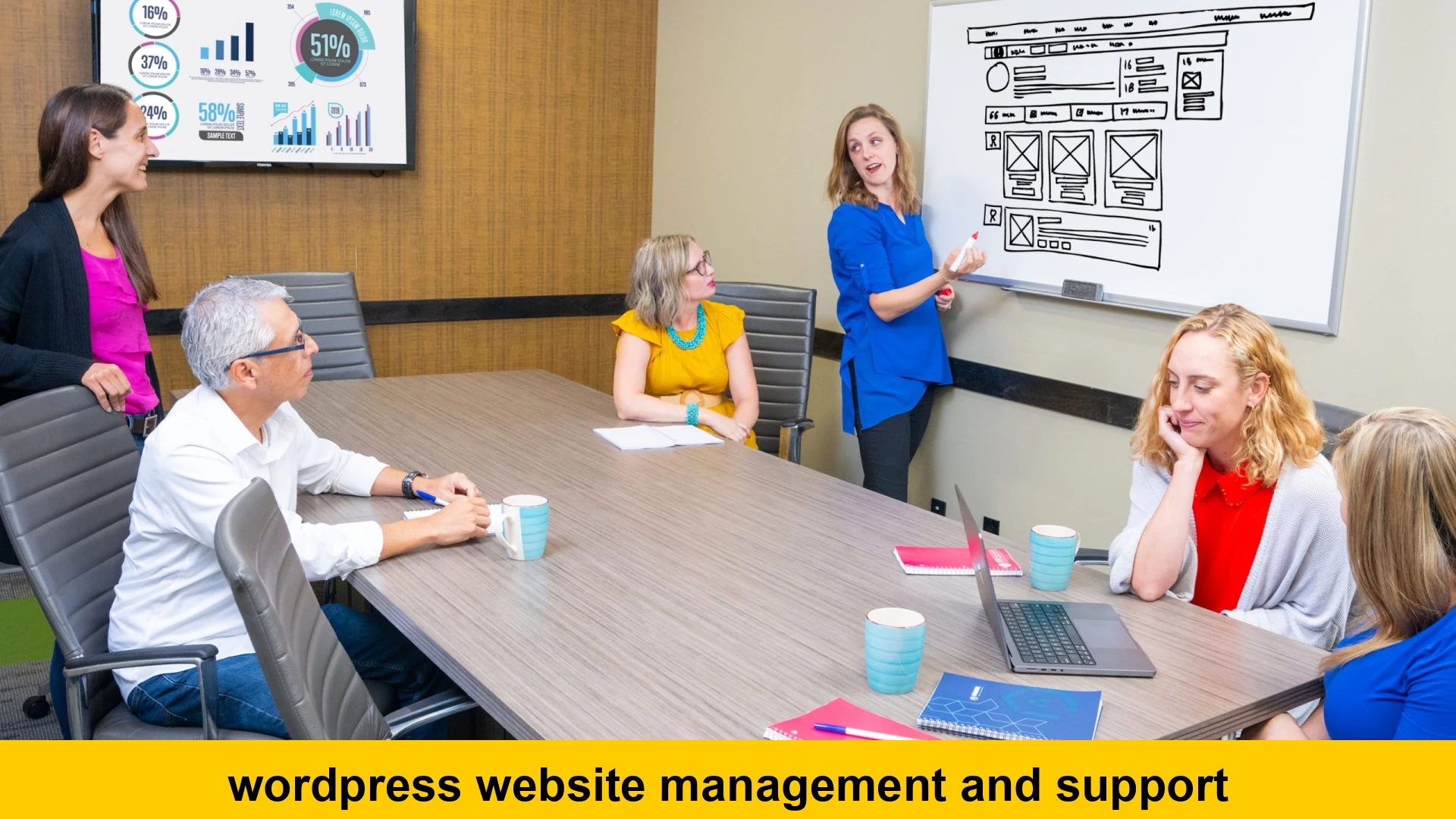
wordpress website management and support
In today’s fast-paced digital landscape, a WordPress website is often the cornerstone of a business’s online presence. It’s where potential customers discover your brand, where sales are made, and where your professional credibility is established. However, simply launching a WordPress site isn’t enough. Just like a physical storefront, a website requires ongoing care, attention, and strategic maintenance to remain secure, performant, and relevant. This is where professional wordpress website management and support becomes not just beneficial, but absolutely essential.
Many business owners, especially those running small to medium-sized enterprises, might initially view website maintenance as an afterthought or a task they can handle themselves. While a DIY approach is possible for basic updates, it often consumes valuable time, lacks the expert touch needed for optimal performance, and leaves your site vulnerable to security threats and technical glitches. The true value of dedicated wordpress website management services lies in ensuring your website operates flawlessly 24/7, allowing you to focus on your core business activities without the constant worry of technical headaches.
This comprehensive guide will delve into the critical aspects of managing and supporting a WordPress website, highlighting why investing in professional assistance is a strategic move for long-term success. We’ll explore the various components of effective website care, the risks of neglect, and how expert wordpress support solutions can transform your online operations.
Why Professional WordPress Website Management is Crucial for Business Growth
Your WordPress website is a dynamic asset that interacts with ever-evolving technologies, user expectations, and security threats. Without consistent, expert attention, even the most beautifully designed site can quickly become outdated, slow, insecure, or even break entirely. Here’s why proactive, professional management is non-negotiable:
Time-Saving and Focus on Core Business
For entrepreneurs and business leaders, time is a precious commodity. Managing a WordPress website involves a multitude of tasks: updating plugins, themes, and core files; monitoring security; optimizing performance; fixing bugs; and troubleshooting compatibility issues. These tasks, while critical, can divert significant time and resources away from strategic business development, marketing, and customer engagement. Outsourcing your wordpress site maintenance plans frees up your internal team to concentrate on what they do best – growing your business.
Access to Specialized Expertise
WordPress is powerful, but its ecosystem is complex. Staying abreast of the latest security vulnerabilities, performance optimization techniques, and best practices requires specialized knowledge and continuous learning. A professional WordPress management team brings years of experience and deep expertise to the table, handling issues efficiently and effectively. They understand the intricacies of themes, plugins, hosting environments, and database management, offering a level of support that’s difficult to replicate in-house without significant investment in training.
Proactive Problem-Solving and Risk Mitigation
The saying “prevention is better than cure” rings especially true for website management. Professional services often include proactive monitoring and preventative measures that identify potential issues before they escalate into major problems. This includes regular security scans, uptime monitoring, and compatibility checks before updates. Such foresight significantly reduces the risk of downtime, data loss, security breaches, and other costly disruptions, safeguarding your online reputation and revenue.
Ensuring Security and Compliance
WordPress is a popular target for cyberattacks due to its widespread use. A single security breach can lead to data loss, website defacement, SEO penalties, and severe reputational damage. Comprehensive wordpress security updates and continuous monitoring are paramount. Expert manage wordpress website assistance providers implement robust security protocols, including firewalls, malware scanning, vulnerability patching, and secure backup strategies, protecting your valuable digital assets and customer data.
Key Components of Comprehensive WordPress Website Management and Support
A truly effective WordPress management plan encompasses a wide range of services designed to keep your site robust, secure, and performing optimally. Let’s break down the essential elements:
1. Regular Updates (Core, Themes, Plugins)
WordPress, its themes, and plugins are constantly being updated to introduce new features, improve performance, and – most importantly – patch security vulnerabilities. Neglecting these updates is one of the quickest ways to expose your site to threats or cause compatibility issues. Professional management includes:
- Scheduled Updates: Implementing updates for WordPress core, themes, and plugins in a controlled environment.
- Compatibility Testing: Before applying updates, experts often test them in a staging environment to ensure they don’t break existing functionalities or conflict with other components.
- Rollback Capabilities: Having a system in place to quickly revert to a previous version if an update causes unforeseen problems.
Example: Checking for Updates in WordPress Dashboard
While professionals automate this, you can manually check for updates:
1. Log in to your WordPress admin dashboard.
2. Navigate to 'Dashboard' > 'Updates'.
3. Review available updates for WordPress core, themes, and plugins.
4. Always back up your site before performing any major updates.
2. Security Monitoring and Hardening
Beyond simple updates, robust security involves multiple layers of protection. This is a critical area where professional wordpress support solutions excel, offering services like:
- Malware Scanning and Removal: Regular scans to detect and eliminate malicious code.
- Firewall Implementation: Web Application Firewalls (WAFs) to block malicious traffic.
- Brute-Force Protection: Measures to prevent automated login attempts.
- SSL Certificate Management: Ensuring your site uses HTTPS for secure data transmission.
- Vulnerability Patching: Applying fixes for newly discovered security holes.
- User Role and Permission Management: Enforcing the principle of least privilege.
Example: Basic .htaccess Security
Adding a simple rule to your .htaccess file can restrict access to sensitive WordPress files. A professional will handle more comprehensive rules.
# Protect wp-config.php

  Order Allow,Deny
  Deny from all


# Prevent directory browsing
Options -Indexes
3. Performance Optimization
A slow website frustrates users, increases bounce rates, and negatively impacts your search engine rankings. WordPress performance optimization is key for user experience and SEO. Services include:
- Caching Configuration: Implementing robust caching solutions (e.g., LiteSpeed Cache, WP Rocket) to serve content faster.
- Image Optimization: Compressing and resizing images without quality loss.
- Database Cleanup: Removing unnecessary data (revisions, transients, spam comments) to keep the database lean.
- Code Minification: Reducing the size of CSS, JavaScript, and HTML files.
- CDN Integration: Utilizing Content Delivery Networks to serve content from servers geographically closer to your users.
- Server-Side Optimizations: Advising on or managing optimal hosting configurations.
Example: Using a Caching Plugin
Many caching plugins simplify the process. After installing, navigating to their settings often reveals options to enable caching, minify files, and optimize images. A professional ensures these are configured optimally.
4. Reliable Backups
Regular, secure backups are your ultimate safety net. In the event of a security breach, server crash, or critical error during an update, a recent backup can save your business from significant downtime and data loss. Professional wordpress backup service providers ensure:
- Automated Scheduled Backups: Daily, weekly, or real-time backups depending on your site’s activity.
- Offsite Storage: Storing backups securely on remote servers (e.g., Amazon S3, Dropbox) separate from your hosting environment.
- Full and Incremental Backups: Efficiently backing up all files and database.
- Easy Restoration: The ability to quickly and reliably restore your entire site or specific files/database tables.
Example: Setting up Automatic Backups
While plugin-based backups are common, professional services often use server-level or specialized tools for greater reliability and offsite storage. A basic setup with a plugin like UpdraftPlus might look like this:
1. Install and activate UpdraftPlus plugin.
2. Navigate to Settings > UpdraftPlus Backups.
3. Go to the 'Settings' tab.
4. Choose your backup schedule (e.g., daily) for files and database.
5. Select a remote storage location (e.g., Google Drive, Dropbox).
6. Save changes and perform a manual backup initially.
5. Uptime Monitoring
Is your website always online? Uptime monitoring services continuously check your site’s availability and alert you immediately if it goes down. This allows for swift action to resolve issues, minimizing lost sales and reputational damage. Professional expert wordpress care packages typically include 24/7 uptime monitoring.
6. Database Optimization
The WordPress database stores all your posts, pages, comments, settings, and much more. Over time, it can become bloated with unnecessary data (revisions, spam, transients), slowing down your site. Regular database optimization cleans out this clutter, improving performance and responsiveness.
7. Broken Link Checks and Fixes
Broken links (links to non-existent pages) negatively impact user experience and can harm your SEO. A professional management service will regularly scan your site for broken links and fix them, ensuring smooth navigation for your visitors and maintaining your search engine rankings.
8. Technical Troubleshooting and Support
Despite best efforts, issues can arise. Whether it’s a plugin conflict, a theme error, or a hosting problem, having access to prompt, expert technical support is invaluable. This is where 24/7 wordpress support truly shines, offering rapid response and resolution for:
- Error Debugging: Identifying and fixing specific errors (e.g., 500 internal server error, white screen of death).
- Plugin/Theme Conflicts: Diagnosing and resolving issues caused by incompatible software.
- Hosting Issues: Liaising with your hosting provider to resolve server-related problems.
- Malware Removal: Cleaning infected sites quickly and thoroughly.
Example: Common WordPress Errors and Quick Fixes (Professional perspective)
When a site goes down, a support professional will typically:
1. Check error logs (server and WordPress).
2. Attempt to disable plugins/themes via FTP or database to identify conflicts.
3. Restore from a recent backup if the issue is complex or unresolvable quickly.
4. Consult hosting provider if it's a server-level issue.
Choosing the Right WordPress Website Management Services Provider
Finding the right partner for your affordable wordpress website management and support needs can feel overwhelming, but a systematic approach will help. Consider these factors when evaluating potential providers:
Experience and Expertise
Look for a team with a proven track record specifically in WordPress. Do they understand the nuances of the platform? What kind of clients do they typically serve? Ask for case studies or client testimonials to gauge their capabilities.
Service Level Agreements (SLAs)
A good provider will have clear SLAs outlining response times, resolution times, and what’s included in their wordpress site maintenance plans. This ensures transparency and accountability for the level of service you’ll receive.
Pricing Models and Inclusions
Understand the cost of wordpress website management services. Do they offer tiered plans? What is included in each package? Be wary of extremely low prices, as they might indicate a lack of comprehensive coverage. Look for value, not just the lowest price.
Communication and Reporting
How do they communicate updates and issues? Do they provide regular reports on security scans, performance metrics, and completed tasks? Clear and consistent communication is vital for peace of mind.
Customer Testimonials and Reviews
What do existing clients say? Online reviews and testimonials offer valuable insights into a provider’s reliability, responsiveness, and overall client satisfaction. This can help you find a reliable wordpress support for existing websites.
DIY vs. Professional WordPress Support Solutions: Weighing Your Options
While the allure of managing your own website to save costs is understandable, it’s crucial to conduct a realistic assessment of the pros and cons. This comparison often highlights the significant value proposition of professional expert wordpress care packages.
The DIY Approach: Pros and Cons
- Pros:
- Cost Savings (Upfront): No direct monthly fees for a service provider.
- Full Control: You dictate every action and decision.
- Learning Opportunity: Gain a deeper understanding of WordPress mechanics.
- Cons:
- Significant Time Investment: Takes away from core business activities.
- Steep Learning Curve: WordPress and security best practices require continuous learning.
- Risk of Errors: Inexperience can lead to broken sites, security vulnerabilities, or data loss.
- Lack of 24/7 Support: No immediate expert help during emergencies.
- Limited Expertise: May not keep up with advanced optimization or security threats.
- Opportunity Cost: The time spent on maintenance could be used for revenue-generating activities.
The Professional Approach: Pros and Cons
- Pros:
- Peace of Mind: Experts handle technical complexities and risks.
- Time Savings: Frees you to focus on business growth.
- Expertise and Experience: Access to specialized knowledge and best practices.
- Proactive Security: Continuous monitoring and rapid threat response.
- Optimized Performance: Ensuring your site loads quickly and runs smoothly.
- Reliable Backups & Restoration: Secure data, quick recovery from disasters.
- Dedicated Support: Often includes 24/7 wordpress support for emergencies.
- Better ROI: Prevent costly downtime, security breaches, and poor user experience that impact revenue.
- Cons:
- Monthly/Annual Fees: An ongoing operational cost.
- Less Direct Control: You trust the provider with your site.
- Finding the Right Provider: Requires due diligence to select a reputable service.
When considering `how to get professional wordpress website support`, it becomes clear that for most businesses, the benefits of outsourcing far outweigh the costs and risks of attempting to manage a critical online asset without specialized help. The investment in `monthly wordpress website maintenance plans` is an investment in your business’s stability, security, and growth.
The Cost of Neglecting Your WordPress Website
Ignoring the need for consistent wordpress website management and support doesn’t save you money; it sets you up for potentially catastrophic expenses and damages. The hidden costs of neglect are far greater than the investment in `best wordpress site care and maintenance plans`.
1. Security Breaches and Data Loss
A hacked website can lead to:
- Data Theft: Compromise of customer information, leading to legal liabilities and loss of trust.
- Website Defacement: Your brand image tarnished by malicious content.
- Malware Distribution: Your site could be used to spread malware to visitors.
- Blacklisting: Search engines like Google may flag your site as unsafe, removing it from search results.
- Costly Cleanup: Recovering from a hack can be complex, expensive, and time-consuming, often requiring expert intervention anyway.
For more insights on website security, consider resources from reputable security firms like Sucuri.
2. Downtime and Lost Revenue
When your website is down, you’re losing potential customers, sales, and leads every minute. Consistent downtime can severely impact your bottom line and severely damage your business’s reputation. This is where 24/7 wordpress support can be a lifesaver.
3. Poor Performance and User Experience
A slow or buggy website frustrates users, leading them to abandon your site for competitors. Google also penalizes slow sites in search rankings, meaning fewer organic visitors. This directly impacts your ability to generate business online.
4. SEO Penalties
Outdated plugins, broken links, security vulnerabilities, and slow loading times can all negatively affect your search engine optimization (SEO). Google prioritizes secure, fast, and user-friendly websites. Neglect can lead to drops in rankings, reduced organic traffic, and a significant blow to your online visibility.
Keeping your WordPress core and plugins updated is fundamental to maintaining a secure and performant site, as detailed on WordPress.org.
5. Reputation Damage
A poorly maintained or hacked website erodes customer trust and damages your brand’s credibility. It signals to your audience that you don’t prioritize their security or experience, which can have long-lasting negative consequences.
Finding a WordPress Management Company for Small Business
Small businesses often have unique needs and budget considerations when seeking `wordpress technical support and maintenance package`. When looking to `find wordpress management company for small business`, prioritize providers that:
- Offer flexible and `affordable wordpress website management and support` plans tailored to smaller budgets.
- Demonstrate clear understanding of small business challenges and goals.
- Provide personalized support and clear communication channels.
- Focus on proactive measures to prevent issues, minimizing unexpected costs.
A reputable provider will offer tiered pricing or custom quotes based on your specific site’s complexity and traffic, ensuring you get the right level of support without overpaying.
General tips on choosing a good WordPress host or service provider can also be found on sites like WPBeginner, which often covers what to look for in terms of support.
Conclusion
Your WordPress website is more than just an online brochure; it’s a dynamic sales tool, a communication hub, and a reflection of your brand. Entrusting its care to professionals through comprehensive wordpress website management and support is not an expense, but a strategic investment that yields significant returns. From ensuring robust security and optimal performance to providing timely updates and expert troubleshooting, professional wordpress support solutions guarantee your digital presence remains strong, secure, and continuously effective.
By opting for dedicated wordpress site maintenance plans, you safeguard your business against potential threats, improve user experience, enhance your search engine visibility, and free up invaluable time to focus on your core objectives. Don’t let technical complexities hinder your online success. Choose to empower your business with reliable wordpress website management services and experience the peace of mind that comes with knowing your most vital digital asset is in expert hands.