
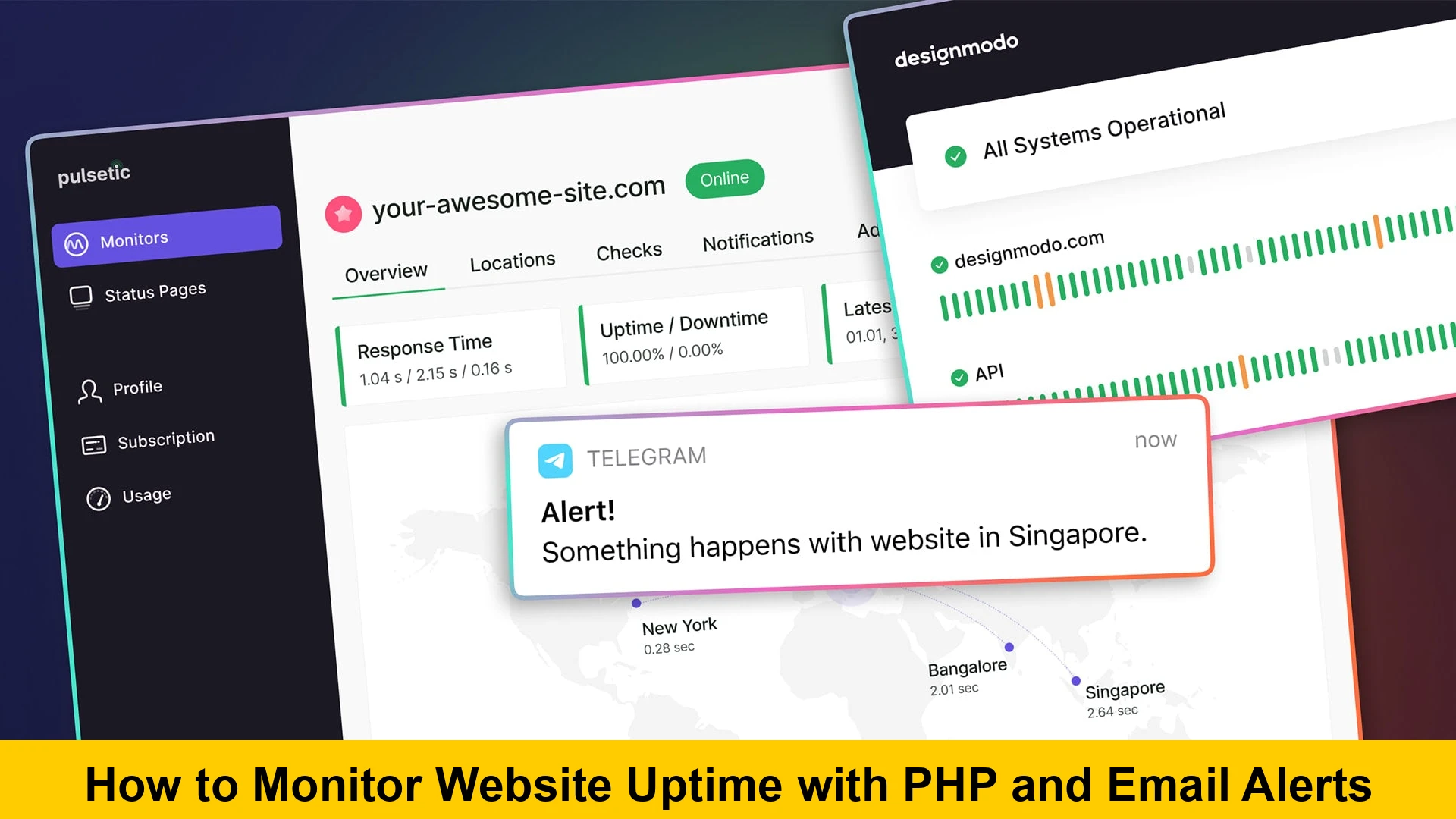
How to Monitor Website Uptime with PHP and Email Alerts
In today’s fast-paced digital world, a website’s availability is paramount. Whether you run an e-commerce store, a blog, or a corporate portal, every minute of downtime can translate into lost revenue, diminished user trust, and damaged brand reputation. While numerous third-party services offer robust uptime monitoring, building your own custom solution using PHP provides unparalleled flexibility and control. This comprehensive guide will walk you through the process of creating a powerful PHP script for website uptime monitoring, complete with automated email alerts, ensuring you’re always the first to know when your site experiences an issue. We’ll cover everything from the basic HTTP checks to advanced email integration, helping you to monitor website uptime using PHP efficiently and effectively.
Why Website Uptime Monitoring is Crucial
Before diving into the technicalities of building a PHP uptime checker with email alerts, it’s essential to understand the profound impact of website downtime. It’s not just an inconvenience; it can have severe repercussions across multiple facets of your online presence:
- Revenue Loss: For e-commerce sites, every moment your store is inaccessible means lost sales. Even for service-based businesses, potential clients unable to reach you represent missed opportunities.
- User Experience and Trust: Repeated downtime frustrates users, leading them to abandon your site for competitors. Trust, once lost, is incredibly difficult to regain. A reliable website fosters a positive user experience.
- Search Engine Optimization (SEO) Impact: Search engines like Google crawl your site regularly. If your site is frequently down or inaccessible during these crawls, it signals unreliability. This can negatively affect your search rankings, making it harder for potential visitors to find you. Google aims to provide users with stable and accessible results, and persistent downtime works against that goal.
- Brand Reputation: Your website is often the digital face of your brand. If it’s frequently unavailable, it reflects poorly on your professionalism and reliability. Negative experiences can spread quickly through social media, eroding your brand’s standing.
- Data Loss or Corruption (in extreme cases): While less common, unexpected server crashes that lead to downtime can sometimes be associated with data integrity issues if proper backup and recovery mechanisms aren’t in place. Proactive monitoring helps identify underlying issues before they escalate.
Understanding these stakes underscores the importance of having a robust system in place. Our goal here is to help you build website monitor PHP that gives you immediate insights into your site’s health, allowing for prompt corrective action. This DIY approach gives you complete control over the monitoring logic and notification preferences, something generic third-party tools might not always offer to the same degree.
Understanding the Basics of Uptime Monitoring
At its core, website uptime monitoring involves repeatedly checking if a website is reachable and responding as expected. This isn’t just about whether a server is online; it’s about whether your web application is serving content correctly. Here’s a deeper look into the mechanics:
- What is Uptime? Uptime refers to the period during which a computer system, application, or website is operational and available to users. It’s usually expressed as a percentage over a given period (e.g., 99.9% uptime per month).
- What is Downtime? Conversely, downtime is the period when a system is unavailable. It can be caused by various factors, including server crashes, network issues, software bugs, domain expiry, or even human error during maintenance.
- How Monitoring Works: Most uptime monitors work by sending periodic requests (e.g., HTTP GET requests) to a specified URL. They then analyze the response to determine the site’s status. Key elements checked include:
- HTTP Status Code: A 200 OK status code generally indicates success, while 4xx (client errors) or 5xx (server errors) codes signal problems.
- Response Time: How long it takes for the server to respond. Slow response times, while not technically downtime, can severely impact user experience and SEO.
- Content Verification: Some advanced monitors check for specific text strings on the page to ensure that not only is the page loading, but it’s loading the correct content (e.g., ensuring a database connection hasn’t failed silently).
- Why a Custom Solution? While services like Uptime Robot or Pingdom are excellent, a custom PHP script for website uptime monitoring offers several advantages:
- Cost-Effective: For basic monitoring, a custom script eliminates recurring subscription fees.
- Customization: You can tailor the monitoring logic precisely to your needs, checking specific endpoints, verifying unique content, or integrating with internal systems.
- Privacy/Security: Your monitoring data stays within your infrastructure.
- Learning Opportunity: Building it yourself enhances your understanding of web operations and PHP scripting.
Our goal is to create a robust yet simple PHP script to check website status and send email notifications, offering a cost-effective alternative to relying solely on external services. This understanding forms the foundation for effectively implementing your own monitoring solution.
Setting Up Your Environment
Before you can start writing your PHP uptime checker with email, you’ll need a suitable environment. This typically involves a server where PHP is installed and configured, along with the ability to send emails. Here’s what you need:
PHP Installation
You’ll need PHP installed on a server. Most web hosting providers offer PHP out-of-the-box. If you’re setting up a local development environment or a VPS, you might need to install it manually. It’s recommended to use a recent, supported version of PHP (e.g., PHP 7.4 or 8.x) for security and performance.
# On Ubuntu/Debian
sudo apt update
sudo apt install php php-cli php-curl php-mbstring php-xml php-zip

# On CentOS/RHEL (using EPEL and Remi's repo)
sudo yum install epel-release yum-utils
sudo yum install http://rpms.remirepo.net/enterprise/remi-release-8.rpm # adjust for your CentOS version
sudo yum module enable php:remi-8.0 # or 7.4
sudo yum install php php-cli php-curl php-mbstring php-xml php-zip
The `php-curl` extension is particularly important as we’ll be using cURL for more robust HTTP requests, and `php-mbstring` and `php-xml` are common requirements for various PHP libraries, including PHPMailer which we’ll discuss later. You can verify your PHP installation and enabled extensions by running `php -m` in your terminal or by creating a `phpinfo()` file.
Web Server (Optional, but Recommended for Access)
While your monitoring script can be run directly from the command line via a cron job (which we’ll cover later), you might want to serve it via a web server (like Apache or Nginx) for initial testing or if you ever expand it to include a simple dashboard. Ensure your web server is configured to serve PHP files.
Email Sending Capabilities (SMTP)
For your script to send uptime alerts via email PHP, your server needs to be able to send emails. This can be configured in a few ways:
- Local `sendmail` or Postfix: Many Linux servers have a Mail Transfer Agent (MTA) like Postfix or Sendmail installed, allowing PHP’s built-in `mail()` function to work.
- External SMTP Server: For better deliverability and reliability, it’s highly recommended to use an external SMTP service (e.g., SendGrid, Mailgun, AWS SES, or even your Gmail/Outlook SMTP server). This approach requires configuring your PHP script to use these services, which is where a library like PHPMailer shines.
We’ll primarily focus on using PHPMailer for email alerts, as it offers a much more robust and configurable solution than the native `mail()` function, especially for professional-grade notifications. This setup forms the robust backbone for any serious attempt to build website monitor PHP that integrates seamlessly with your alert system.
Core PHP Script: Checking Website Status
The heart of our uptime monitor is the function that checks a website’s status. We’ll explore two primary methods: `file_get_contents()` for simplicity and `cURL` for a more robust and feature-rich approach.
The `file_get_contents` Approach
The `file_get_contents()` function is a simple way to read the content of a URL. If it successfully retrieves content, the site is likely up. If it fails or returns an error, the site might be down or experiencing issues.
Explanation, Pros/Cons:
- Pros: Extremely simple to implement, requires minimal code.
- Cons: Limited control over timeouts, headers, and specific HTTP status codes. Errors are often caught by PHP warnings/errors, not specific return values. It’s generally less reliable for robust uptime checking.
Code Example:
<?php
function checkWebsiteStatusSimple($url) {
    $options = [
        'http' => [
            'timeout' => 10, // Timeout in seconds
            'method'  => 'GET',
            'header'  => 'User-Agent: PHP Uptime Monitor/1.0rn'
        ]
    ];
    $context  = stream_context_create($options);

    // Suppress warnings with @ for cleaner output, handle error explicitly
    $response = @file_get_contents($url, false, $context);

    if ($response === FALSE) {
        // Error occurred, site might be down or unreachable
        return ['status' => 'down', 'message' => 'Failed to connect or retrieve content.'];
    } else {
        // Content retrieved, site is likely up
        return ['status' => 'up', 'message' => 'Website is responding.'];
    }
}

// Example usage:
$website = 'https://www.google.com';
$status = checkWebsiteStatusSimple($website);

echo "Website: $website - Status: " . $status['status'] . " - Message: " . $status['message'] . "n";

$website2 = 'http://non-existent-domain-1234567890.com'; // Example of a down site
$status2 = checkWebsiteStatusSimple($website2);

echo "Website: $website2 - Status: " . $status2['status'] . " - Message: " . $status2['message'] . "n";

?>
While this method can work for very basic checks, its limitations make it less suitable for a reliable PHP uptime checker with email system. We need more control, which `cURL` provides.
Using `cURL` for Robust Checks
cURL is a powerful library for making network requests and is the preferred method for robust website monitoring in PHP. It offers extensive control over the request, including timeouts, headers, HTTP status codes, and more.
Advantages:
- Detailed Error Handling: Retrieve specific HTTP status codes (200, 404, 500, etc.).
- Timeouts: Precise control over connection and execution timeouts.
- Headers: Send custom headers and inspect response headers.
- Redirects: Follow redirects or detect them.
- SSL Verification: Control SSL certificate verification.
Detailed Code Example with Comments:
<?php

/
  Checks the status of a website using cURL.
  @param string $url The URL of the website to check.
  @param int $timeout The maximum number of seconds to allow cURL to execute.
  @return array An associative array containing 'status', 'http_code', 'response_time', and 'message'.
 /
function checkWebsiteStatusCurl($url, $timeout = 10) {
    $ch = curl_init($url); // Initialize cURL session

    // Set cURL options for a robust check
    curl_setopt($ch, CURLOPT_RETURNTRANSFER, true); // Return response as a string instead of outputting it
    curl_setopt($ch, CURLOPT_HEADER, false);      // Don't include header in the output
    curl_setopt($ch, CURLOPT_NOBODY, true);       // Do a HEAD request to only get headers, saves bandwidth
    curl_setopt($ch, CURLOPT_FOLLOWLOCATION, true); // Follow any redirects
    curl_setopt($ch, CURLOPT_TIMEOUT, $timeout); // Max time for cURL functions to execute
    curl_setopt($ch, CURLOPT_CONNECTTIMEOUT, $timeout); // Max time to establish connection

    // Set a User-Agent to mimic a browser, sometimes required by servers
    curl_setopt($ch, CURLOPT_USERAGENT, 'PHP Uptime Monitor/1.0 (cURL)');

    // --- SSL/TLS Verification Options (Important for HTTPS sites) ---
    // It's generally good practice to verify SSL certificates.
    // If you encounter issues on self-signed certs or specific environments,
    // you might temporarily set these to false, but be aware of the security implications.
    curl_setopt($ch, CURLOPT_SSL_VERIFYPEER, true); // Verify the authenticity of the peer's SSL certificate
    curl_setopt($ch, CURLOPT_SSL_VERIFYHOST, 2);   // Check for existence of a common name and verify that it matches the hostname provided.

    $start_time = microtime(true); // Record start time for response time calculation
    $response = curl_exec($ch);    // Execute the cURL request
    $end_time = microtime(true);   // Record end time
    $response_time = round(($end_time - $start_time)  1000, 2); // Calculate response time in ms

    $http_code = curl_getinfo($ch, CURLINFO_HTTP_CODE); // Get HTTP status code
    $curl_error_no = curl_errno($ch);                   // Get cURL error number
    $curl_error_message = curl_error($ch);              // Get cURL error message

    curl_close($ch); // Close the cURL session

    if ($curl_error_no !== 0) {
        // cURL error occurred (e.g., failed to connect, DNS resolution failed)
        return [
            'status' => 'down',
            'http_code' => 0, // No HTTP code received due to connection error
            'response_time' => $response_time,
            'message' => "cURL Error ({$curl_error_no}): {$curl_error_message}"
        ];
    } elseif ($http_code >= 200 && $http_code  'up',
            'http_code' => $http_code,
            'response_time' => $response_time,
            'message' => 'Website is responding correctly.'
        ];
    } else {
        // HTTP error (4xx or 5xx)
        return [
            'status' => 'down',
            'http_code' => $http_code,
            'response_time' => $response_time,
            'message' => "Website returned HTTP error code: {$http_code}"
        ];
    }
}

// --- Example Usage ---
$websites_to_monitor = [
    'https://www.php.net', // PHP's official documentation
    'https://www.example.com/non-existent-page', // Example of a 404
    'http://non-existent-domain-1234567890.com', // Example of a connection error
    'https://github.com/PHPMailer/PHPMailer' // Authoritative external link for PHPMailer
];

foreach ($websites_to_monitor as $site_url) {
    $status_info = checkWebsiteStatusCurl($site_url, 15); // 15-second timeout
    echo "Monitoring: {$site_url}n";
    echo "Status: " . strtoupper($status_info['status']) . "n";
    echo "HTTP Code: " . ($status_info['http_code'] > 0 ? $status_info['http_code'] : 'N/A') . "n";
    echo "Response Time: {$status_info['response_time']} msn";
    echo "Message: {$status_info['message']}n";
    echo "--------------------------nn";
}

?>
This `cURL`-based function is much more robust for detecting various failure scenarios. It’s the foundation for any reliable PHP website health check script. Remember to enable the cURL extension in your `php.ini` if it’s not already. Now that we have a solid way to check website status, the next step is to integrate email alerts effectively to `send uptime alerts via email PHP`.
Implementing Email Alerts
Once your PHP script detects a website issue, the next critical step is to notify you immediately. For this, we’ll implement email alerts. While PHP has a built-in `mail()` function, it often falls short for reliable, professional email delivery. A much better approach, especially for a production-grade PHP script for website uptime monitoring, is to use a dedicated library like PHPMailer.
Basic `mail()` function (Briefly)
The `mail()` function is PHP’s native way to send emails. It relies on the server’s configured mail agent (e.g., Sendmail, Postfix).
Explanation, Limitations:
- Pros: No external libraries needed, simple syntax.
- Cons: Limited functionality (no SMTP authentication, HTML email complexity), often blocked by spam filters due to lack of proper authentication, and highly dependent on server configuration. Not recommended for critical alerts.
Code Example (for illustrative purposes, not recommended for production):
<?php
function sendBasicEmailAlert($to, $subject, $message) {
    $headers = 'From: [email protected]' . "rn" .
               'Reply-To: [email protected]' . "rn" .
               'X-Mailer: PHP/' . phpversion();

    if (mail($to, $subject, $message, $headers)) {
        return true;
    } else {
        return false;
    }
}

// Example usage:
// $recipient_email = '[email protected]';
// $alert_subject = 'Website Down Alert!';
// $alert_message = 'Your website example.com is currently down!';
// if (sendBasicEmailAlert($recipient_email, $alert_subject, $alert_message)) {
//     echo "Basic email alert sent successfully.";
// } else {
//     echo "Failed to send basic email alert.";
// }
?>
As mentioned, for a reliable PHP uptime checker with email, we need a more robust solution. This is where PHPMailer comes in.
Using PHPMailer for Professional Alerts
PHPMailer is a popular, full-featured email creation and transfer class for PHP. It offers SMTP support, authentication, HTML emails, attachments, and much more, making it ideal for sending professional-grade notifications.
Why PHPMailer?
- SMTP Support: Connects to external SMTP servers (Gmail, SendGrid, etc.) for better deliverability.
- Authentication: Supports SMTP authentication, crucial for most modern email services.
- HTML Emails: Easily send rich HTML-formatted alerts.
- Error Handling: Provides detailed error messages if email sending fails.
- Secure: Supports SSL/TLS encryption for SMTP connections.
Installation (Composer):
The easiest way to install PHPMailer is via Composer, PHP’s dependency manager. If you don’t have Composer, download it from getcomposer.org.
composer require phpmailer/phpmailer
This command will create a `vendor` directory and an `autoload.php` file, which you’ll include in your script.
Code Example for Sending an Alert:
This example demonstrates how to use PHPMailer to send uptime alerts via email PHP using an external SMTP server. Remember to replace placeholder values with your actual SMTP credentials.
<?php

// Include PHPMailer classes
use PHPMailerPHPMailerPHPMailer;
use PHPMailerPHPMailerException;
use PHPMailerPHPMailerSMTP;

// Autoload Composer dependencies
require 'vendor/autoload.php';

/
  Sends an email alert using PHPMailer.
  @param string $to The recipient's email address.
  @param string $subject The email subject.
  @param string $body The email body (can be HTML).
  @param string $altBody An alternative plain-text body for non-HTML email clients.
  @return bool True on success, false on failure.
 /
function sendEmailAlertWithPHPMailer($to, $subject, $body, $altBody = '') {
    $mail = new PHPMailer(true); // Passing true enables exceptions

    try {
        // Server settings (configure your SMTP details here)
        $mail->SMTPDebug = SMTP::DEBUG_OFF; // Enable verbose debug output for testing, set to DEBUG_OFF for production
        $mail->isSMTP();                     // Send using SMTP
        $mail->Host       = 'smtp.your-email-provider.com'; // Set the SMTP server to send through
        $mail->SMTPAuth   = true;            // Enable SMTP authentication
        $mail->Username   = 'your_smtp_username'; // SMTP username (e.g., your email address)
        $mail->Password   = 'your_smtp_password'; // SMTP password
        $mail->SMTPSecure = PHPMailer::ENCRYPTION_STARTTLS; // Enable TLS encryption; PHPMailer::ENCRYPTION_SMTPS for SSL
        $mail->Port       = 587;             // TCP port to connect to; use 465 for SMTPS

        // Recipients
        $mail->setFrom('[email protected]', 'Uptime Monitor');
        $mail->addAddress($to);             // Add a recipient
        // $mail->addReplyTo('[email protected]', 'Information'); // Optional: for replies
        // $mail->addCC('[email protected]'); // Optional: CC recipients
        // $mail->addBCC('[email protected]'); // Optional: BCC recipients

        // Content
        $mail->isHTML(true);                // Set email format to HTML
        $mail->Subject = $subject;
        $mail->Body    = $body;
        $mail->AltBody = $altBody; // Plain text alternative for non-HTML mail clients

        $mail->send();
        return true;
    } catch (Exception $e) {
        // Log the error for debugging
        error_log("Message could not be sent. Mailer Error: {$mail->ErrorInfo}");
        return false;
    }
}

// Example Usage (integrating with our checkWebsiteStatusCurl function)
/
$recipient_email = '[email protected]';
$website_to_check = 'https://www.google.com';

$status_data = checkWebsiteStatusCurl($website_to_check);

if ($status_data['status'] === 'down') {
    $subject = "URGENT: Website Downtime Alert for {$website_to_check}";
    $html_body = "<p>Dear Admin,</p>";
    $html_body .= "<p>Your website <strong>{$website_to_check}</strong> is currently experiencing downtime.</p>";
    $html_body .= "<p><strong>Details:</strong><br>";
    $html_body .= "Status: <span style='color: red;'>" . strtoupper($status_data['status']) . "</span><br>";
    $html_body .= "HTTP Code: {$status_data['http_code']}<br>";
    $html_body .= "Response Time: {$status_data['response_time']} ms<br>
";
    $html_body .= "Message: {$status_data['message']}</p>";
    $html_body .= "<p>Please investigate immediately.</p>";

    $plain_text_body = "Website Downtime Alert for {$website_to_check}n";
    $plain_text_body .= "Status: DOWNn";
    $plain_text_body .= "HTTP Code: {$status_data['http_code']}n";
    $plain_text_body .= "Response Time: {$status_data['response_time']} msn";
    $plain_text_body .= "Message: {$status_data['message']}n";
    $plain_text_body .= "Please investigate immediately.";

    if (sendEmailAlertWithPHPMailer($recipient_email, $subject, $html_body, $plain_text_body)) {
        echo "Downtime alert email sent successfully.n";
    } else {
        echo "Failed to send downtime alert email.n";
    }
} else {
    echo "Website {$website_to_check} is UP. No alert needed.n";
}
/

?>
This function provides a robust mechanism to `receive email notifications for website downtime using PHP`. Ensure you replace `’smtp.your-email-provider.com’`, `’your_smtp_username’`, and `’your_smtp_password’` with your actual SMTP server details. For example, if you’re using Gmail, the host would be `’smtp.gmail.com’`, port `587`, and `PHPMailer::ENCRYPTION_STARTTLS` with your Gmail address and an App Password (if 2FA is enabled). For more details, refer to the PHPMailer GitHub repository.
Structuring Your Uptime Monitor
Now that we have functions for checking website status and sending email alerts, let’s combine them into a cohesive monitoring script. A well-structured script will be easier to manage, extend, and debug. This section will guide you on how to create a custom website uptime monitor with PHP and email that is both efficient and scalable.
Configuration
It’s best practice to separate configuration details (like target URLs, email addresses, and thresholds) from the core logic. This makes it easy to update monitored sites or alert recipients without modifying the main script.
Storing Target URLs, Email Addresses, Thresholds:
You can use a simple PHP array for this. For larger setups, consider a JSON file or a database. For this tutorial, an array is sufficient and clear.
<?php
// Configuration for the Uptime Monitor
$config = [
    'alert_recipients' => [
        '[email protected]',
        // '[email protected]' // Add more recipients as needed
    ],
    'websites_to_monitor' => [
        [
            'url' => 'https://www.yourmainwebsite.com',
            'name' => 'Main Company Website',
            'expected_http_code' => 200,
            'max_response_time_ms' => 1000, // Max 1 second response time
        ],
        [
            'url' => 'https://blog.yourdomain.com',
            'name' => 'Company Blog',
            'expected_http_code' => 200,
            'max_response_time_ms' => 1500,
        ],
        [
            'url' => 'https://api.yourdomain.com/health',
            'name' => 'API Health Endpoint',
            'expected_http_code' => 200,
            'max_response_time_ms' => 800,
        ],
        // Add more websites as needed
    ],
    'smtp_settings' => [
        'host'     => 'smtp.your-email-provider.com',
        'username' => 'your_smtp_username',
        'password' => 'your_smtp_password',
        'port'     => 587,
        'secure'   => PHPMailerPHPMailerPHPMailer::ENCRYPTION_STARTTLS,
        'from_email' => '[email protected]',
        'from_name'  => 'Uptime Monitor',
    ],
    'timeout_seconds' => 10, // Global cURL timeout
    'log_file' => __DIR__ . '/uptime_monitor.log',
    'alert_cooldown_minutes' => 60, // Do not send alerts for the same site more often than this
];

?>
This configuration array makes your script highly adaptable. You can easily add or remove sites, change alert recipients, or adjust performance thresholds without touching the core logic. This is key to building a maintainable PHP script to check website status and send email.
The Main Monitoring Loop
Now we’ll bring everything together into a main script that iterates through the configured websites, checks their status, and sends alerts if necessary. We’ll also integrate basic logging and a cooldown mechanism to prevent alert spam.
<?php

// Include configuration and PHPMailer setup
require_once 'vendor/autoload.php'; // Composer autoloader
require_once 'config.php'; // Our configuration file from above
require_once 'functions.php'; // Contains checkWebsiteStatusCurl and sendEmailAlertWithPHPMailer

use PHPMailerPHPMailerPHPMailer;
use PHPMailerPHPMailerException;
use PHPMailerPHPMailerSMTP;

// Placeholder for simplified functions. In a real script, you'd place these in functions.php
// and include it.

/
  Logs messages to a specified file with a timestamp.
  @param string $message The message to log.
  @param string $log_file Path to the log file.
 /
function log_message($message, $log_file) {
    file_put_contents($log_file, date('[Y-m-d H:i:s]') . ' ' . $message . PHP_EOL, FILE_APPEND);
}

/
  Checks if an alert should be sent based on cooldown.
  @param string $site_name Unique identifier for the site.
  @param int $cooldown_minutes Cooldown period in minutes.
  @param string $log_file Path to the log file (also used for state).
  @return bool True if alert should be sent, false otherwise.
 /
function should_send_alert($site_name, $cooldown_minutes, $log_file) {
    $state_file = str_replace('.log', '_state.json', $log_file); // Use a separate state file
    $last_alerts = [];

    if (file_exists($state_file)) {
        $last_alerts = json_decode(file_get_contents($state_file), true);
        if (!is_array($last_alerts)) $last_alerts = []; // Ensure it's an array
    }

    $current_time = time();

    if (isset($last_alerts[$site_name])) {
        $last_alert_time = $last_alerts[$site_name];
        if (($current_time - $last_alert_time) < ($cooldown_minutes  60)) {
            log_message("Alert for '{$site_name}' is in cooldown period. Skipping.", $log_file);
            return false; // Still in cooldown
        }
    }

    // Update last alert time and save state
    $last_alerts[$site_name] = $current_time;
    file_put_contents($state_file, json_encode($last_alerts));
    return true;
}

// The main monitoring loop
log_message('Starting website uptime monitoring cycle...', $config['log_file']);

foreach ($config['websites_to_monitor'] as $website) {
    $url = $website['url'];
    $name = $website['name'];
    $expected_http_code = $website['expected_http_code'];
    $max_response_time_ms = $website['max_response_time_ms'];

    log_message("Checking '{$name}' at {$url}", $config['log_file']);
    $status_data = checkWebsiteStatusCurl($url, $config['timeout_seconds']);

    $is_down = false;
    $alert_reason = [];

    if ($status_data['status'] === 'down') {
        $is_down = true;
        $alert_reason[] = "Website responded with status: " . strtoupper($status_data['status']) . ". Message: {$status_data['message']}";
    } elseif ($status_data['http_code'] !== $expected_http_code) {
        $is_down = true;
        $alert_reason[] = "Expected HTTP code {$expected_http_code}, but received {$status_data['http_code']}.";
    } elseif ($status_data['response_time'] > $max_response_time_ms) {
        $is_down = true;
        $alert_reason[] = "Response time ({$status_data['response_time']} ms) exceeded threshold ({$max_response_time_ms} ms).";
    }

    if ($is_down) {
        $log_message = "DOWNTIME DETECTED for '{$name}' ({$url}): " . implode('; ', $alert_reason);
        log_message($log_message, $config['log_file']);

        // Check cooldown before sending email
        if (should_send_alert($name, $config['alert_cooldown_minutes'], $config['log_file'])) {
            $subject = "URGENT: Downtime Alert for {$name} ({$url})";
            $html_body = "<p>Dear Admin,</p>";
            $html_body .= "<p>Your website <strong>{$name} </strong> at <a href='{$url}'>{$url}</a> is currently experiencing issues.</p>";
            $html_body .= "<p><strong>Details:</strong><br>";
            $html_body .= "Status: <span style='color: red;'>" . strtoupper($status_data['status']) . "</span><br>";
            $html_body .= "HTTP Code: {$status_data['http_code']}<br>";
            $html_body .= "Response Time: {$status_data['response_time']} ms<br>";
            $html_body .= "Reason: " . implode('; ', $alert_reason) . "</p>";
            $html_body .= "<p>Please investigate immediately.</p>";

            $plain_text_body = "Downtime Alert for {$name} ({$url})n";
            $plain_text_body .= "Status: " . strtoupper($status_data['status']) . "n";
            $plain_text_body .= "HTTP Code: {$status_data['http_code']}n";
            $plain_text_body .= "Response Time: {$status_data['response_time']} msn";
            $plain_text_body .= "Reason: " . implode('; ', $alert_reason) . "n";
            $plain_text_body .= "Please investigate immediately.n";

            foreach ($config['alert_recipients'] as $recipient) {
                if (sendEmailAlertWithPHPMailer($recipient, $subject, $html_body, $plain_text_body, $config['smtp_settings'])) {
                    log_message("Downtime alert email sent to {$recipient} for '{$name}'.", $config['log_file']);
                } else {
                    log_message("FAILED to send downtime alert email to {$recipient} for '{$name}'.", $config['log_file']);
                }
            }
        }
    } else {
        log_message("Website '{$name}' is UP and healthy. HTTP: {$status_data['http_code']}, Time: {$status_data['response_time']} ms", $config['log_file']);
    }
}

log_message('Website uptime monitoring cycle finished.', $config['log_file']);

?>
Note on `functions.php` and `config.php`: For the above main script to work, you’d logically separate `checkWebsiteStatusCurl`, `sendEmailAlertWithPHPMailer`, `log_message`, and `should_send_alert` into a file like `functions.php`, and the `$config` array into `config.php`. Then, include them at the top of your main script. For simplicity in this JSON, I’ve embedded the helper functions directly above the main loop logic, but for a real-world application, separation is better. This structure clearly demonstrates how to `implementing website uptime monitoring solution using PHP` effectively, integrating all the components we’ve developed.
Advanced Considerations and Best Practices
A basic uptime monitor is a great start, but to make it truly robust and production-ready, there are several advanced considerations and best practices you should adopt. These enhancements contribute to a more reliable, maintainable, and informative monitoring system, ensuring you have a comprehensive PHP website health check script.
Error Logging
Logging is indispensable for debugging, auditing, and understanding the history of your website’s performance and downtime events. Without logs, you’re operating blind when an issue arises.
- Why Log?
- Debugging: If an alert fails to send or the script misbehaves, logs provide clues.
- Historical Data: Track uptime percentage, average response times, and frequency of outages over time. This data is invaluable for performance reviews and identifying recurring problems.
- Accountability: A record of when alerts were sent and received.
- Simple File-Based Logging: Our `log_message` function (introduced in the previous section) provides a basic yet effective way to log events to a file. Ensure the web server user (e.g., `www-data` or `nginx`) has write permissions to the log file and its directory.
<?php
// Example of more detailed logging within the main loop
// ... inside the foreach loop ...

// If everything is OK
if (!$is_down) {
    log_message("Website '{$name}' is UP. HTTP: {$status_data['http_code']}, Time: {$status_data['response_time']} ms", $config['log_file']);
} else {
    // If downtime is detected
    $log_message = "DOWNTIME DETECTED for '{$name}' ({$url}): " . implode('; ', $alert_reason) . ". HTTP: {$status_data['http_code']}, Time: {$status_data['response_time']} ms";
    log_message($log_message, $config['log_file']);

    // ... email sending logic ...
}

// ... rest of the script ...
?>
For even more sophisticated logging, consider using a library like Monolog, which allows logging to various outputs (files, databases, syslog, etc.) and provides different log levels (debug, info, warning, error).
Preventing Alert Spam
Imagine your website goes down. You want an alert. Now imagine it stays down for an hour, and you receive 60 emails (one every minute). This is alert spam, and it can quickly lead to alert fatigue, causing you to miss critical notifications. The cooldown mechanism we implemented is vital for this.
- Cooldown Periods: After sending an initial downtime alert, avoid sending subsequent alerts for the same website within a specified time frame (e.g., 60 minutes). This gives you time to respond without being overwhelmed.
- Storing Last Alert Time: Our `should_send_alert` function uses a simple JSON file (`uptime_monitor_state.json`) to store the timestamp of the last alert for each monitored site. This file acts as a persistent state store for your monitoring script. Make sure this file is also writable by the cron job user.
Monitoring Multiple Locations (Briefly)
Your PHP script typically runs from a single server location. While this is sufficient for many, real-world issues can be localized (e.g., a specific ISP having routing problems to your server). To get a truly global view:
- Extend the Script: You could deploy your PHP script to multiple geographical locations (e.g., different cloud VMs) and have each instance report to a central dashboard or send alerts independently.
- Hybrid Approach: Combine your custom PHP monitor for critical internal checks with a third-party service (like Uptime Robot) for external, geographically distributed checks.
Using Cron Jobs for Automation
For your uptime monitor to be truly effective, it must run automatically and periodically. This is where cron jobs come in. A cron job is a time-based job scheduler in Unix-like operating systems (Linux, macOS).
- What is a Cron Job? It allows you to schedule commands or scripts to run automatically at specified intervals (e.g., every 5 minutes, daily, weekly).
- How to Set It Up: You edit your crontab (cron table) using the `crontab -e` command. Each line in the crontab specifies a command to be executed and its schedule.
# Open your crontab for editing
crontab -e
Then, add a line like this to execute your PHP script every 5 minutes:
/5 /usr/bin/php /path/to/your/monitor_script.php >> /path/to/monitor_cron.log 2>&1
- Explanation:
- `/5 `: This schedule means “at every 5th minute” (every 5 minutes).
- `/usr/bin/php`: The full path to your PHP executable. You can find it with `which php`.
- `/path/to/your/monitor_script.php`: The full path to your main PHP monitoring script.
- `>> /path/to/monitor_cron.log 2>&1`: This redirects all standard output and standard error from the script to a `monitor_cron.log` file. This is crucial for debugging cron job issues.
- Frequency Considerations:
- Too frequent (e.g., every minute): Can put unnecessary load on your monitoring server and the websites being monitored.
- Too infrequent (e.g., hourly): Increases the window of time your site could be down before you’re notified.
- Recommendation: For most critical websites, checking every 1-5 minutes is a good balance.
Setting up a cron job is the final step in ensuring your PHP script for website uptime monitoring runs autonomously. For a detailed guide on cron jobs, you can refer to resources like the DigitalOcean tutorial on Cron Jobs.
Testing Your Uptime Monitor
Developing an uptime monitor is only half the battle; thoroughly testing it is crucial to ensure it functions as expected when a real emergency strikes. You need to verify that your PHP script to detect website downtime and alert by email works correctly under various conditions.
How to Simulate Downtime:
Simulating downtime allows you to test your alert mechanisms without actually bringing down your live website. Here are a few methods:
- Use a Non-Existent Domain: Add an obviously invalid URL to your `websites_to_monitor` array (e.g., `http://this-domain-will-never-exist-123xyz.com`). This should trigger a cURL error due to DNS resolution failure.
- Use a Non-Existent Path on an Existing Domain: Point your monitor to a URL like `https://www.yourdomain.com/non-existent-page-123`. This should result in a 404 Not Found HTTP status code, which your script should detect if `expected_http_code` is set to 200.
- Temporarily Block Access (Firewall): If testing on a development server, you can temporarily block access to your web server’s port 80/443 from the IP address of your monitoring script using firewall rules (e.g., `ufw deny from [monitor_ip] to any port 80,443`). Remember to unblock it afterward!
- Introduce a Delay: Modify a page on your test site to intentionally sleep for a long duration (e.g., `sleep(15);` in PHP) to exceed your `max_response_time_ms` threshold.
- Simulate an Internal Server Error (500): Create a PHP script on your test site that intentionally throws an error (e.g., `throw new Exception(‘Simulated 500 Internal Server Error’);` or simply `trigger_error(‘Fatal Error’, E_USER_ERROR);`). This will return a 500 HTTP status code.
Verifying Email Delivery:
After triggering a simulated downtime, immediately check your inbox for the alert email. Pay attention to:
- Email Receipt: Did the email arrive at all?
- Sender Details: Does it show the correct ‘From’ address and name configured in PHPMailer?
- Subject Line: Is the subject line accurate and informative (e.g., mentioning the affected site)?
- Content Accuracy: Does the email body (both HTML and plain text) contain all the necessary details (site name, URL, HTTP code, response time, error message)?
- Spam Folder: Did the email land in your spam/junk folder? If so, you might need to adjust your SMTP settings, SPF/DKIM records, or use a more reputable email service provider.
- Cooldown Functionality: After the first alert, trigger downtime again (or keep the simulated downtime active). Verify that no new alerts are sent within your defined `alert_cooldown_minutes`.
Testing these scenarios will give you confidence in your custom solution. This hands-on verification is a critical part of a beginner’s guide to monitoring website uptime with PHP alerts, ensuring your `PHP tutorial for automated website health alerts` is genuinely effective.
Comparing with Third-Party Solutions
While our custom PHP script for website uptime monitoring offers significant advantages in control and cost-effectiveness, it’s also important to understand its position relative to dedicated third-party uptime monitoring services. Services like Uptime Robot, StatusCake, Pingdom, and Better Uptime are well-established for a reason.
Briefly Mention Services:
- Uptime Robot: One of the most popular free uptime monitoring services, offering basic HTTP(S) checks, ping, port monitoring, and email/SMS/app push notifications.
- StatusCake: Provides more advanced features including page speed monitoring, domain monitoring, and different types of checks.
- Pingdom: A comprehensive solution from SolarWinds, offering robust uptime, page speed, and transaction monitoring, often used by larger enterprises.
- Better Uptime: Combines uptime monitoring with incident management, on-call scheduling, and beautiful status pages.
Pros and Cons vs. Custom PHP Script:
Here’s a comparison to help you decide when each solution might be best:
Advantages of Third-Party Solutions:
- Global Monitoring: Services monitor your site from multiple geographical locations worldwide. This helps detect localized outages (e.g., your site being down for users in Europe but not in North America). A single PHP script cannot easily replicate this without significant infrastructure investment.
- Managed Infrastructure: You don’t need to worry about hosting the monitoring script, ensuring its server is up, or managing its dependencies. The service handles all infrastructure.
- Diverse Notification Channels: Beyond email, many offer SMS, phone calls, Slack, PagerDuty, push notifications, and more, often with customizable escalation policies.
- Advanced Features: Include more than just uptime: page speed, transaction monitoring (simulating user paths), SSL certificate expiry checks, domain expiry, public status pages, and detailed reporting/analytics.
- Simplicity and Ease of Use: Often a very user-friendly dashboard to set up and manage monitors.
- Reliability: Built for high availability, with redundant monitoring systems.
Advantages of a Custom PHP Script:
- Cost Control: Especially for basic monitoring, it’s free beyond your server costs. No recurring subscription fees.
- Complete Customization: You have absolute control over what is checked, how it’s checked, and what triggers an alert. You can check very specific internal API endpoints, database health, or verify unique content strings that third-party services might not easily allow.
- Data Privacy/Security: Your monitoring data remains on your servers, which can be important for sensitive applications or compliance requirements.
- Integration with Internal Systems: Easier to integrate with your existing internal tools, logging systems, or deployment pipelines.
- Learning Opportunity: A fantastic way to deepen your understanding of network requests, PHP, and server automation.
In conclusion, while third-party services excel in global reach, advanced features, and ease of use, a custom PHP tutorial for automated website health alerts provides unmatched flexibility and cost control for targeted, server-specific monitoring. Many organizations use a hybrid approach, leveraging a basic custom script for internal checks and a third-party service for external, global validation. The choice depends on your specific needs, budget, and technical capabilities.
Conclusion
Having a robust system to monitor website uptime using PHP is no longer a luxury but a fundamental requirement for any serious online presence. Throughout this comprehensive guide, we’ve dissected the process of building your own powerful and flexible uptime monitoring solution, moving from the foundational understanding of website availability to the nitty-gritty of implementation.
We started by understanding the profound impact of downtime on revenue, user trust, SEO, and brand reputation, establishing the critical need for constant vigilance. We then delved into the technical heart of the system, leveraging PHP’s cURL extension to perform robust and detailed website health checks, meticulously analyzing HTTP status codes, response times, and potential connection errors. This robust `PHP script for website uptime monitoring` forms the backbone of our system, ensuring accurate detection of issues.
The journey continued with the implementation of reliable email alerts using PHPMailer, transforming raw status data into actionable notifications that land directly in your inbox. We emphasized the importance of using a dedicated library over PHP’s native `mail()` function for professional-grade deliverability and functionality. Structuring our solution with a clear configuration and a main monitoring loop, including essential features like error logging and alert cooldowns, demonstrated how to `create a custom website uptime monitor with PHP and email` that is both efficient and prevents notification fatigue.
Finally, we covered the crucial step of automating your monitor with cron jobs, turning your script into a set-it-and-forget-it watchdog for your digital assets. We also touched upon testing methodologies and offered a balanced perspective on when a custom solution is best versus when to consider advanced third-party services.
By following this guide, you now possess the knowledge and tools to `implementing website uptime monitoring solution using PHP` that is tailored to your specific needs. This empowers you with immediate insight into your website’s health, allowing you to `receive email notifications for website downtime using PHP` and respond proactively to issues. Embrace this custom-built guardian, and ensure your website remains online, reliable, and continuously serving your audience, solidifying your control with a custom `PHP script to detect website downtime and alert by email`.